บทเรียนตอนที่ 4 การสร้างระบบ คะแนน God Simulator และเงื่อนไขในการจัดการอุปสรรคโดยใช้ Power Element ของเราในเกมด้วย Unity
ต่อเนื่องจากบทเรียนที่แล้ว:
- การพัฒนาเกม God Simulation Game บน Unity ตอนที่ 1
- การพัฒนาเกม God Simulation Game บน Unity ตอนที่ 2
- การพัฒนาเกม God Simulation Game บน Unity ตอนที่ 3
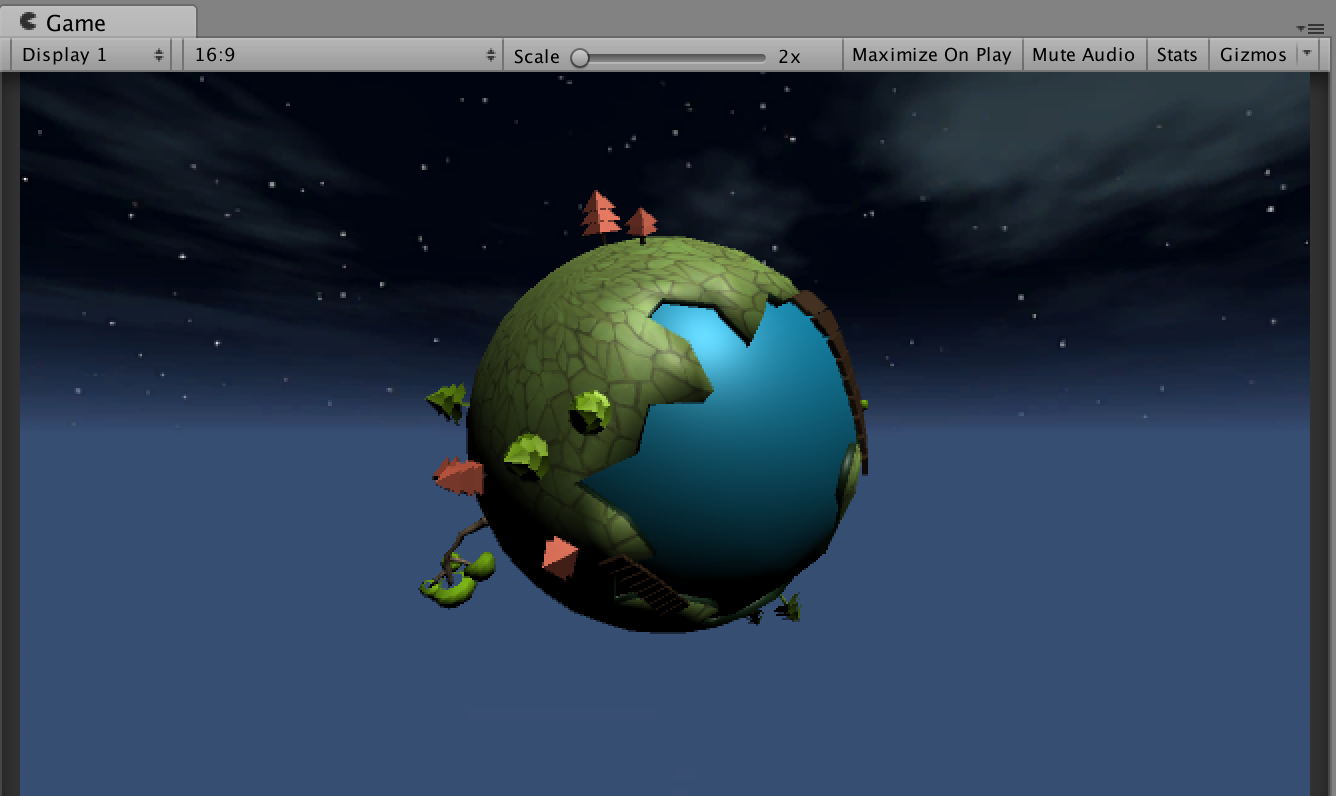
จากตอนที่ 3 เราจะได้ระบบสุ่มการเกิดของเจ้าอุปสรรคที่ชื่อ Golem มาแล้ว 4 จุดรอบนี้เราจะออกแบบ MainSystem เป็นตัวจัดการเงื่อนไขของ คะแนน และปีที่เราจะดูแลดาวเคราะห์ดวงนี้
เงื่อนไขที่ตั้งไว้:
- Golem สีแดงต้องใช้ Power of Cloud คือสายฝนในการจัดการมัน
- Golem สีน้ำเงินต้องใช้ Power of Sun คือแสงอาทิตย์ในการจัดการมัน
- Golem แต่ละตัวถ้าเอา Power ที่ตรงกับรูปแบบของมันเช่น cloud ไปใส่ Golem น้ำเงินจะเป็นการเพิ่มพลัง และทำให้อายุไขของดวงดาวลดลง
- คะแนนอยู่ที่ระยะเวลาของอายุดวงดาวหากจัดการ Golem ตัวไหนได้จะได้ระยะเวลาของดวงดาวเพิ่มขึ้น
ให้เราสร้าง Empty Game Object ขึ้นมาตั้งไฟล์ว่า MainSystem.cs
using System.Collections;
using System.Collections.Generic;
using UnityEngine;


public class MainSystem : MonoBehaviour {

	float timeRemaining = 100;
	float timeExtension = 3f;
	float timeDeduction = 2f;
	float totalTimeElapsed = 0;
	float score=0f;
  public string countValue = "";
  public string countScore = "";
	public bool isGameOver = false;
	// Use this for initialization
	void Start () {
		Time.timeScale = 1;
	}

	// Update is called once per frame
	void Update () {
		if(isGameOver)
			return;      //move out of the function

		totalTimeElapsed += Time.deltaTime;
		score = totalTimeElapsed*50;
		timeRemaining -= Time.deltaTime;
		countValue = ((int)timeRemaining).ToString();
    countScore = ((int)score).ToString();
		if(timeRemaining <= 0){
			isGameOver = true;
		}
	}

	public void SaveThePlanet()
	{
		timeRemaining += timeExtension;
	}

	public void AttackofMonster()
	{
		timeRemaining -= timeDeduction;
	}
}
ถ้าจัดการ golem ได้จะมีการเรียกเมธอดชื่อนี้:
public void SaveThePlanet()
	{
		timeRemaining += timeExtension;
	}
หากพลาดจะเกิดเหตุการณ์นี้:
public void AttackofMonster()
	{
		timeRemaining -= timeDeduction;
	}
หลังจากนั้นให้ออกแบบ UI โดยเพิ่ม Text ขึ้นมา 2 ตัวตั้งชื่อว่า counterText และ scoreText
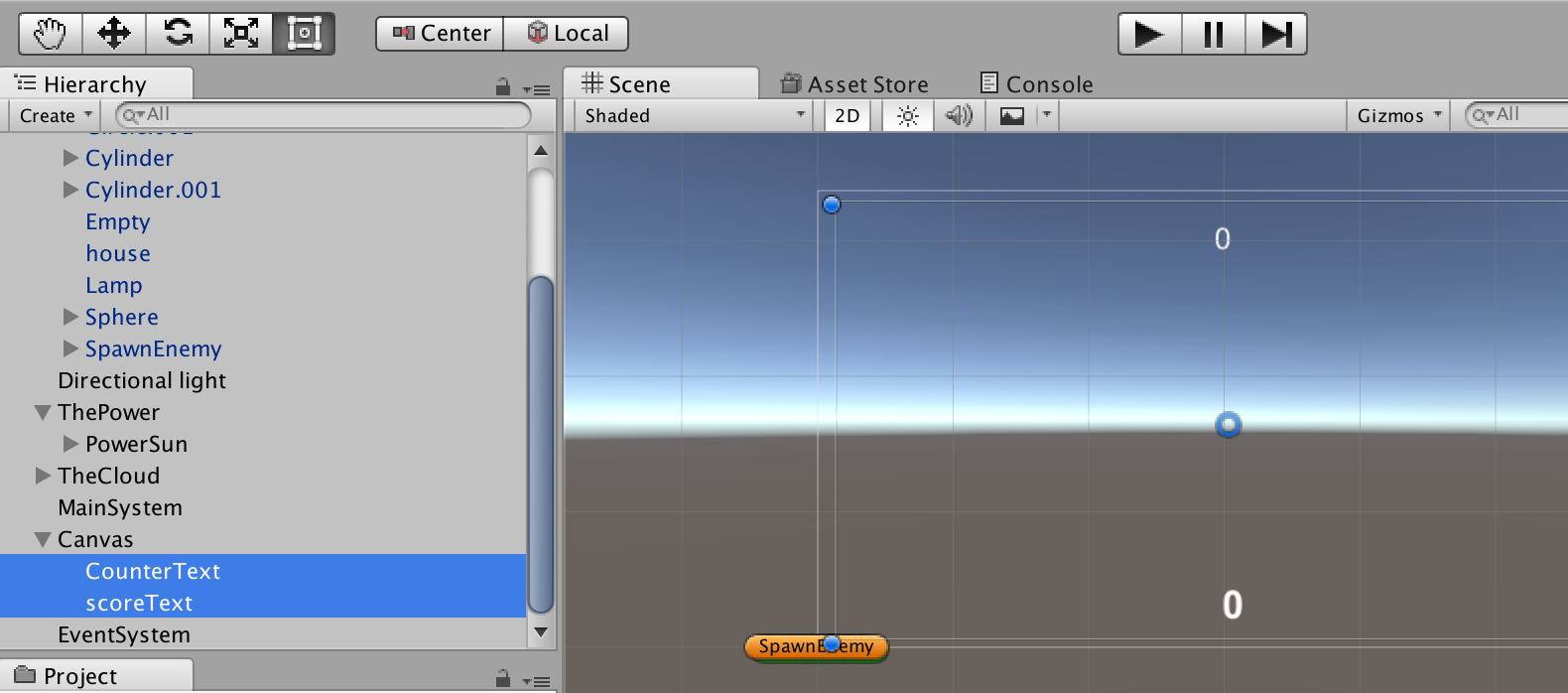
สร้างไฟล์ CounterText.cs เป็น Component หนึ่งใน UI Text ชื่อ CounterText
using System.Collections;
using System.Collections.Generic;
using UnityEngine;
using UnityEngine.UI;
using UnityEngine.EventSystems;

public class CounterText : MonoBehaviour {
	public Text counterText;
	public MainSystem system;
	// Use this for initialization
	void Start () {
		if(system ==null){
			GameObject _system = GameObject.FindGameObjectWithTag("MainSystem") as GameObject;
			system = _system.GetComponent<MainSystem>();
		}
		counterText = GetComponent<Text>();
	}

	// Update is called once per frame
	void Update () {
		counterText.text = "Years: "+system.countValue;
	}
}
สร้างไฟล์ scoreText.cs เป็น Component หนึ่งใน UI Text ชื่อ scoreText
using System.Collections;
using System.Collections.Generic;
using UnityEngine;
using UnityEngine.UI;
using UnityEngine.EventSystems;

public class scoreText : MonoBehaviour {
	public Text _scoreText;
	public MainSystem system;
	// Use this for initialization
	void Start () {
		if(system ==null){
			GameObject _system = GameObject.FindGameObjectWithTag("MainSystem") as GameObject;
			system = _system.GetComponent<MainSystem>();
		}
		_scoreText = GetComponent<Text>();
	}

	// Update is called once per frame
	void Update () {
		_scoreText.text = "Score: "+system.countScore;
	}
}
สร้างไฟล์ redEnemy.cs และ blueEnemy.cs แนบไว้ใน Golem ทั้งสีแดง และน้ำเงิน
using System.Collections;
using System.Collections.Generic;
using UnityEngine;

public class redEnemy : MonoBehaviour {
	public MainSystem system;
	public CameraShake camera;
	public int _hp=10;
	// Use this for initialization
	void Start () {
		if(system ==null){
			GameObject _system = GameObject.FindGameObjectWithTag("MainSystem") as GameObject;
			system = _system.GetComponent<MainSystem>();
		}
		if(camera ==null){
			GameObject _camera = GameObject.FindGameObjectWithTag("MainCamera") as GameObject;
			camera = _camera.GetComponent<CameraShake>();
		}
	}
	void OnTriggerStay(Collider other)
	{
		if(other.gameObject.name == "PowerCloud")
		{
				//Bad Thing to Do
				system.SaveThePlanet();
				_hp = _hp-1;
				if(_hp <= 0){
						gameObject.SetActive(false);
				}

		}else if(other.gameObject.name == "PowerSun"){
				//Good Thing to do
				_hp = _hp+1;
				camera.Shaking = true;
				system.AttackofMonster();
		}
	}
}
และ
using System.Collections;
using System.Collections.Generic;
using UnityEngine;

public class blueEnemy : MonoBehaviour {
	public MainSystem system;
	public CameraShake camera;
	public int _hp=10;
	// Use this for initialization
	void Start () {
		if(system ==null){
			GameObject _system = GameObject.FindGameObjectWithTag("MainSystem") as GameObject;
			system = _system.GetComponent<MainSystem>();
		}
		if(camera ==null){
			GameObject _camera = GameObject.FindGameObjectWithTag("MainCamera") as GameObject;
			camera = _camera.GetComponent<CameraShake>();
		}
	}
	void OnTriggerStay(Collider other)
	{
		if(other.gameObject.name == "PowerSun")
		{
				//Bad Thing to Do
				system.SaveThePlanet();
				_hp = _hp-1;
				if(_hp <= 0){
						gameObject.SetActive(false);
				}

		}else if(other.gameObject.name == "PowerCloud"){
				//Good Thing to do
				_hp = _hp+1;
				camera.Shaking = true;
				system.AttackofMonster();
		}
	}
}
เป็นการกำหนดว่าเมื่อเราเลื่อน PowerElement ไปถูก Enemy ที่กำหนดไว้ได้ถูกต้องจะทำการซ่อน golem ตัวนั้นๆ ไป
gameObject.SetActive(false);
ต่อมาทำการเพิ่ม Shaking กล้องเมื่อเคลื่อน Power Element ผิด ให้สร้างไฟล์ CameraShake.cs ขึ้นมา
using System.Collections;
using System.Collections.Generic;
using UnityEngine;

public class CameraShake : MonoBehaviour {
	 public bool Shaking;
	 private float ShakeDecay;
	 private float ShakeIntensity;
	 private Vector3 OriginalPos;
	 private Quaternion OriginalRot;
	// Use this for initialization
	void Start () {
		Shaking = false;
	}

	// Update is called once per frame
	void Update () {
		if(ShakeIntensity > 0)
     {
         transform.position = OriginalPos + Random.insideUnitSphere * ShakeIntensity;
         transform.rotation = new Quaternion(
	    OriginalRot.x + Random.Range(-ShakeIntensity, ShakeIntensity)*.2f,
            OriginalRot.y + Random.Range(-ShakeIntensity, ShakeIntensity)*.2f,
            OriginalRot.z + Random.Range(-ShakeIntensity, ShakeIntensity)*.2f,
            OriginalRot.w + Random.Range(-ShakeIntensity, ShakeIntensity)*.2f);
        ShakeIntensity -= ShakeDecay;
     }
     else if (Shaking)
     {
        Shaking = false;
     }
  }
}
ทำการทดสอบเกม และทดลองเล่นดู:
จบบทเรียน การพัฒนาเกม God Simulation แล้ว
คุณสามารถดาวน์โหลดไฟล์ Complete Project ได้ที่: http://bit.ly/2pMYuTN