บทเรียนการพัฒนาเกมด้วย Unity 3D กับการเคลื่อนไหวตัวละครด้วยเคลื่อน Mouse ไปมาซ้ายขวา สำหรับผู้เริ่มต้นพัฒนาเกมด้วย Unity และภาษา C# ตัวอย่างเช่น เกมยิงต่างๆ
บทเรียนก่อนหน้านี้: https://www.daydev.com/category/developer/s11-game-development/unity-3d
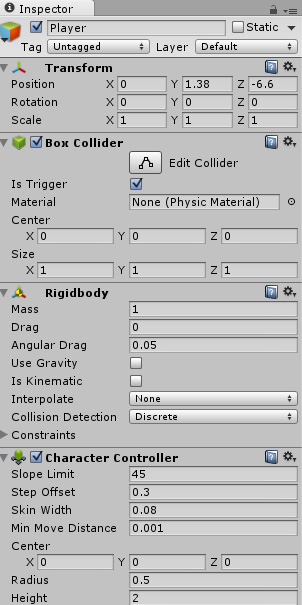
เปิดโปรเจ็ค Unity ขึ้นมาเลยครับ เทคนิคนี้ไม่ยากเลยแม้แต่น้อย สร้าง Player ลงไปใน Scene View กำหนด Physics ทั้งส่วนของ Character Controller, Capsule หรือ Box Collider และ Rigidbody แบบไม่มี Gravity ครับ ตามตัวอย่าง
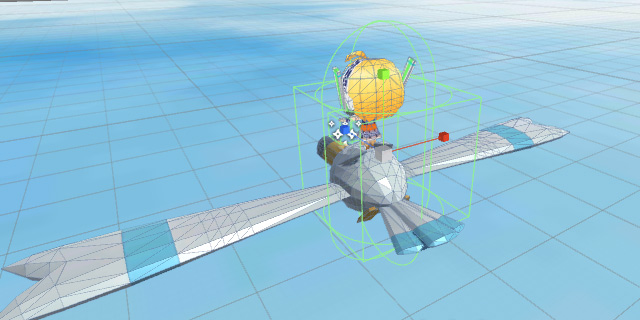
ตั้งค่า Inspector ตามตัวอย่างก็ได้ครับ
สร้างไฟล์ Player.cs ขึ้นมา กำหนดตัวแปรต่อไปนี้
private Vector3 targetPos;
public float speed = 2.0f;
กำหนด targetPos เป็นตัวแปรมารับค่า Vector3 หรือตัว GameObject ตัวละครของเราครับ พร้อมตัวแปร speed มารับค่าความเร็วในตอบสนองและเคลื่อนไหวไปมา ทำการ init ค่าใน เมธอด Start();
void Start () {
   targetPos = transform.position;
}
ต่อจากนั้นทำการควบคุมตัวละครต่อที่ เมธอด Update
void Update () {
		float distance = transform.position.z - Camera.main.transform.position.z;
		targetPos = new Vector3(Input.mousePosition.x, Input.mousePosition.y, distance);
		targetPos = Camera.main.ScreenToWorldPoint(targetPos);

		Vector3 followXonly = new Vector3(targetPos.x, transform.position.y, transform.position.z);
		transform.position = Vector3.Lerp (transform.position, followXonly, speed * Time.deltaTime);
	}
สังเกตที่ส่วนนี้ครับ
Vector3 followXonly = new Vector3(targetPos.x, transform.position.y, transform.position.z);
กำหนดในตัวอย่างคือให้ followXonly คือให้ตัวละครของเราเคลื่อนไหวตาม Mouse แค่แกน x นั่นคือซ้าย และขวา เท่านั้นครับ เมื่อเสร็จก็ลองทดสอบดู
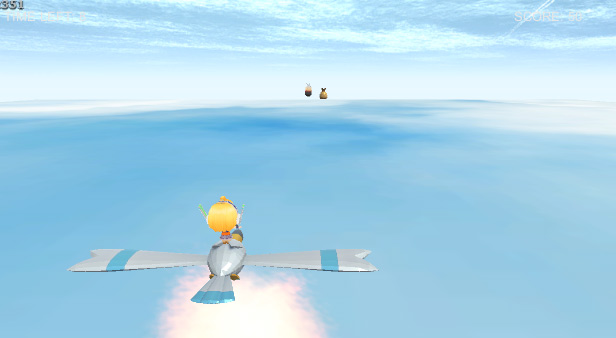
ตัวอย่างก็ดูด้านล่างฮะ
เป็นไงครับ ง่ายใช่ไหมลองเอาไปปรับใช้กับเกมของตัวเองกันนะครับ เทคนิคสั้นมากๆ