อีกหนึ่งเรื่องที่มีคนสอบถามกันมามากเลยคือเรื่องของการติด Admob ของ Google เพื่อทำเงินผ่านแอพพลิเคชันของเราครับอันที่จริง Admob นั้นมีวิธีการบอกอย่างละเอียดนะครับว่า ทำตาม Step 1-2-3 ก็เสร็จแล้ว แค่เข้าไปเปิดอ่าน แต่พอมานั่งนึกดูโปรแกรมเมอร์จบใหม่คนไทย หรือเด็กนักศึกษาที่เริ่มเขียนโปรแกรมเป็นแล้วก็ยังสอบถามวิธีการติดเจ้า Admob นี่มาไม่ขาดสายครับ ก็เลยกลายเป็นว่าถ้าต้องการ Tutorial ภาษาไทยก็จะทำให้แล้วกัน
ก็มาเจาะจงที่ iOS ก่อนเลยนะครับ สำหรับ Android มีโครงการจะเริ่มพัฒนาครับ แต่ใช้เวลาเขียน Tutorial ชาติกว่าแน่ๆ เพราะมันช้าหน่วงเหลือหลายกับเครื่องของผม
เริ่มต้นสำหรับคนอยากทำเงินบน Admob
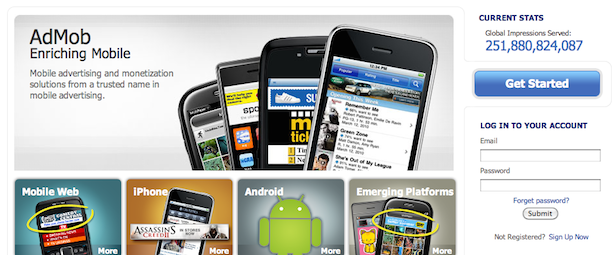
ก็เข้าไปที่ เว็บไซต์ http://www.admob.com ครับ เข้าระบบด้วย Google Account ไปเลยก็ได้ครับ

ไปที่เมนู Site & Campaign ครับ เลือก Add Site ณ ที่นี้ผมเลือก iPhone App ก่อน ใส่ข้อมูลเค้าไป ถ้ายังไม่มี App Store URL ก็เว้นไว้ก่อนได้ค่อยมาใส่ทีหลัง ทำตาม Step ไปครับจนกว่าจะเสร็จไม่ยากหรอก อ่านสักนิด
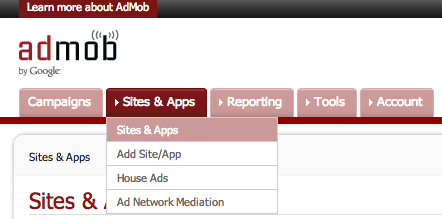
เข้า Sites & Apps
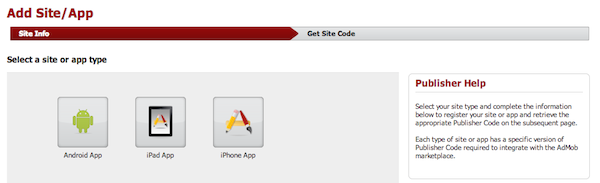
เลือก iPhone App

ได้ Publisher ID มาแล้ว
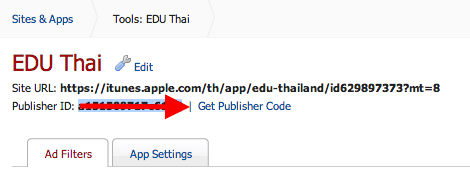
ต่อมาเรามาทำการ Integrate เจ้า Admob ครับ ให้สร้าง Single View Application เปล่าๆ ขึ้นมาครับ
ไปที่ URL https://developers.google.com/mobile-ads-sdk/download#downloadios
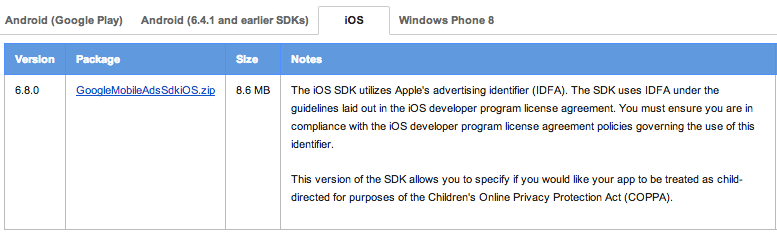
ตรวจสอบให้ดีว่าเป็น Tab ที่เขียนว่า “iOS” หรือเปล่า
ทำการดาวน์โหลด SDK ตัวล่าสุดของ Admob ครับ ทำการแตกไฟล์ออกมาซะ
กลับไปที่ Project ของเราอีกครั้ง คลิกขวาที่ Project เราเลือก Add Files to “…” ครับ
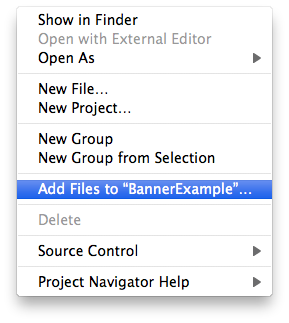
เลือกไฟล์จาก Folder Admob SDK เราตามรูปครับ จะ Copy items ก็ได้หรือไม่ก็ได้

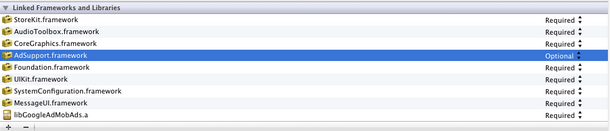
ไปที่ Build Phase ครับ เลือก framework เข้าไปตามนี้
- AdSupport
- AudioToolbox
- AVFoundation
- CoreGraphics
- CoreTelephony
- MessageUI
- StoreKit
- SystemConfiguration
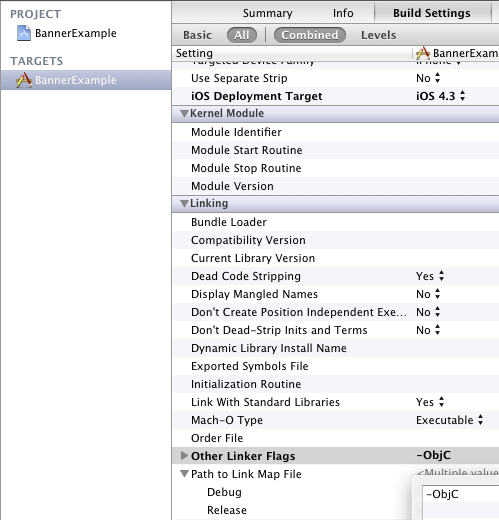
ไปที่ Build Setting ของ Project ค้นหา Other Linker Flags ครับ ถ้าพบแล้วเพิ่ม -ObjC เข้าไป ตามรูป
เปิด ViewContoller.h ขึ้นมาครับ ทำการ Import GADBannerView.h เข้าไป
#import "GADBannerView.h"

@interface ViewController : UIViewController {
// Declare one as an instance variable
GADBannerView *bannerView_;
}
@end
ต่อมาก็กลับมาที่ ViewController.m ครับ เพิ่มคำสั่งนี้ใน viewDidLoad()
#import "ViewController.h"

@implementation BViewController

- (void)viewDidLoad {
[super viewDidLoad];

// Create a view of the standard size at the top of the screen.
// Available AdSize constants are explained in GADAdSize.h.
bannerView_ = [[GADBannerView alloc] initWithAdSize:kGADAdSizeBanner];

// Specify the ad unit ID.
bannerView_.adUnitID = MY_BANNER_UNIT_ID;

// Let the runtime know which UIViewController to restore after taking
// the user wherever the ad goes and add it to the view hierarchy.
bannerView_.rootViewController = self;
[self.view addSubview:bannerView_];

// Initiate a generic request to load it with an ad.
[bannerView_ loadRequest:[GADRequest request]];
}

@end
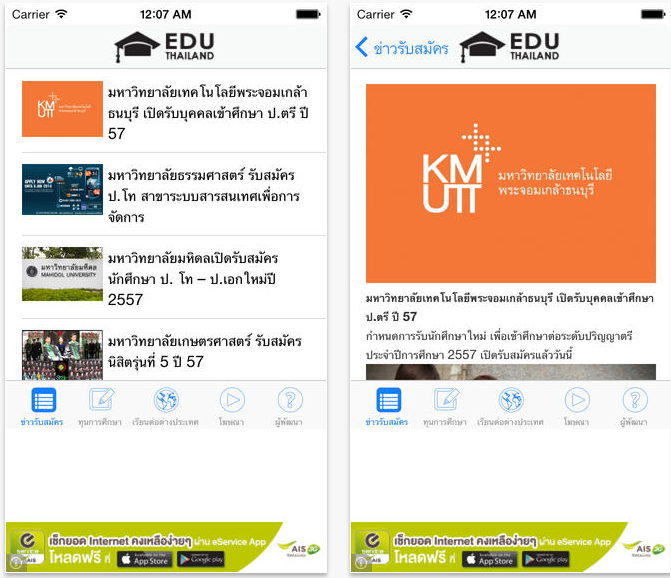
แทนค่า MY_BANNER_UNIT_ID ด้วย @“รหัส Publisher ID ” จาก Admob ลอง Run ดูถ้าไม่ผิดพลาดอะไรก็จะได้ตามตัวอย่างนี้ครับ
เอาไปลองศึกษากันดูนะครับ https://developers.google.com/mobile-ads-sdk/docs/admob/fundamentals#ios
มันง่ายมากเลยครับ เห็นไหม
Comment หรือ ขอบคุณสักหน่อยก็ดีนะครับ 😀