ขั้นตอนการเขียนโปรแกรมภาษา PHP ร่วมกับ API ของ Socialcam เพื่อดึงข้อมูลเบื้องต้นมาแสดงผลบนหน้าเว็บไซต์ของเรา ผ่าน Web Services แบบง่ายที่สุด และทำได้จริงไม่ต้องพูดพร่ำทำเพลงครับมาเริ่มกันเลยดีกว่า
เริ่มต้นไปที่เว็บไซต์ https://socialcam.com/developers/ เพื่อทำการสมัคร API ของ Developer ครับ

กดที่ Create your App ครับ แล้วทำการสมัครสมาชิก ในตัวอย่างผมทดสอบในเครื่องของผม
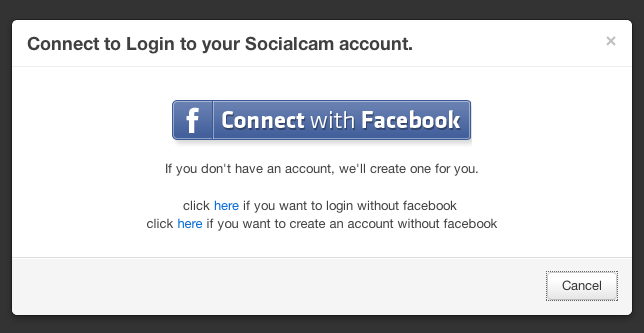
เชื่อมต่อ บัญชี Facebook ไปเลย คนเคยส่องกันอยู่แล้ว
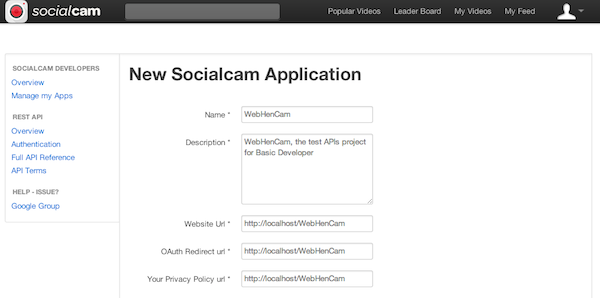
กรอกข้อมูลในตัวอย่างผมตั้งชื่อแอพผมว่า “WebHenCam” มาจาก Web Cam และ “เว็บ เห็น แคม” กด ตกลง
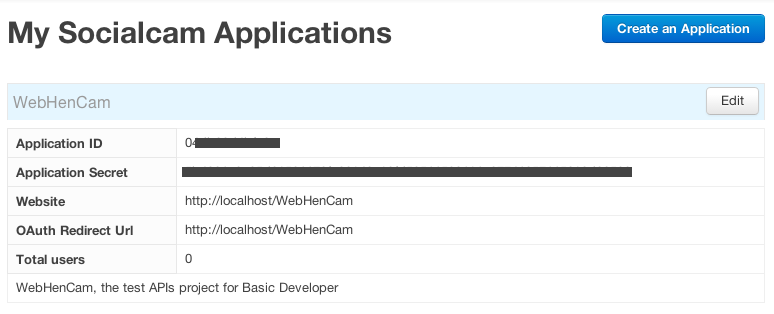
ได้ API KEY และ APP ID, APP SECRET มาแล้ว เราก็เอามาใช้ครับ เปิดไฟล์ index.php ของเราขึ้นมา เขียนคำสั่งต่อไปนี้
เป็นการ เก็บค่าพื้นฐานของ แอพ เราครับ อย่าลืม เราต้องรู้นะครับว่า URL ของเรานั้นคืออะไร เช่นผม https://socialcam.com/v/oUd3SRHI ก็แบบว่า ID ของ Member ของผมคือ oUd3SRHI จะได้เอาใช้งาน
URL ในการเข้าระบบนั้น จะต้องเข้า 2 ขั้นครับ ขั้นแรกต้องเรียก Code มาก่อนให้เรียก URL ตามนี้
https://socialcam.com/oauth/authorize?app_id=YOUR_APP_ID&redirect_uri=REDIRECT_URI&response_type=code
ต่อมาเอา code มาอ้างเพื่อขอ Access Token ครับเรียกตามนี้
https://socialcam.com/oauth/access_token?code=CODE&app_id=YOUR_APP_ID&app_secret=YOUR_APP_SECRET&grant_type=authorization_code
มาดู Code ของเราครับผมจะทำปุ่ม เข้าระบบ ตามนี้
Connect Social Cam

...
และเมื่อเข้าระบบจะมีการดึงข้อมูล Access token ตามนี้
access_token;
?>
การเรียก API ข้อมูลผู้ใช้งานคือ
https://api.socialcam.com/v1/users/self.json?access_token=USER_ACCESS_TOKEN
เขียนโปรแกรมอ่าน JSON ตามนี้
data->name;
	$picture=$users->data->picture_180;
	$link=$users->data->link;
}
?>
ลองเล่นดูจะเห็นการส่งค่า JSON ของเราคือ
{ "meta":
       {
        "code": 200
        },
       "data": { "id": "1BQFQePr", "name": "The Roxie",
                      "link": "http://socialcam.com/u/1BQFQePr",
                      "picture": "http://u.scpic.net/1BQFQePr_50x50_5.png",
                      "picture_180": "http://u.scpic.net/1BQFQePr_large_5.png",
                      "bio": "Socialcam Rockstar",
                      "counts": { "followers": 1604428, "following": 60, "public_videos": 136 }
                    }
 }
Code ทั้งหมดที่เขียนจะเป็นตามนี้
Social Cam API
access_token;
//Profile
if($access_token){
$get_member=file_get_contents('https://api.socialcam.com/v1/users/oUd3SRHI.json?access_token='.$access_token.'');
$users=json_decode($get_member);
$name=$users->data->name;
$picture=$users->data->picture_180;
$link=$users->data->link;
}
?>
Connect Social Cam
Your Profile:

URL Profile:
ทดสอบ
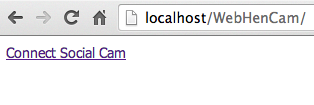
กด Connect Socialcam
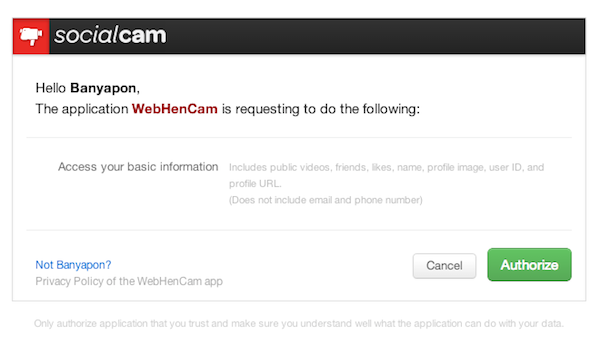
ให้ Authorize แอพพลิเคชันครับ
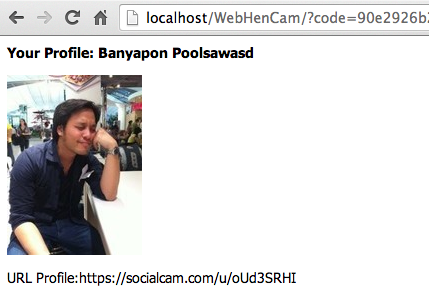
ข้อมูลปรากฏแล้ว
เราจะดูค่าของคนอื่นก็ได้นะครับ แค่หา URL มาเช่นคนนี้
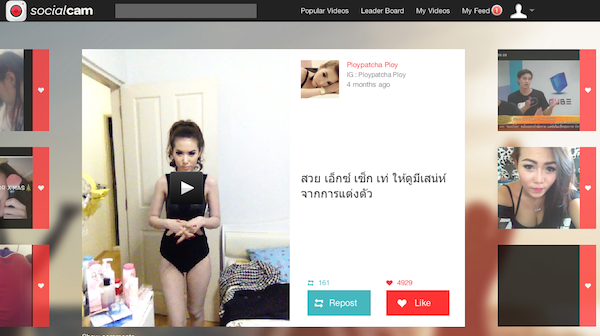
หากลองยิง URL ตามตัวอย่าง
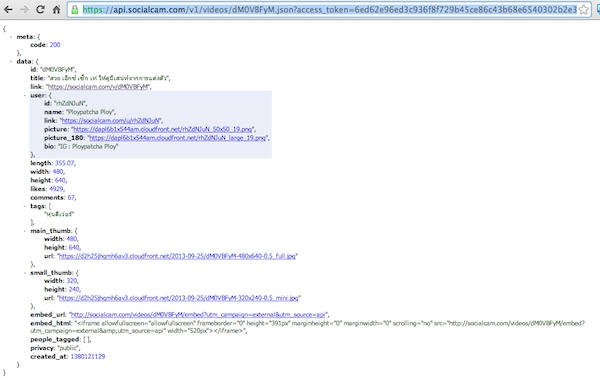
https://api.socialcam.com/v1/videos/bmrkPIwx.json?access_token=USER_ACCESS_TOKEN
จะได้ JSON ตามนี้ครับ
ก็เอาเป็นว่า Socialcam API ก็ไม่ได้ยากเท่าไรครับ แต่ข้อเสียคือ ระยะเวลาของ Access Token ที่หมดเวล่เร็วไปนิดแค่นั้นครับ 😀