คำสั่งในการรับค่าการสัมผัส และปาดหน้าจอ Swipe แบบ Gesture บน Unity 3D สำหรับสร้างเกมบน Mobile อย่างง่ายด้วยภาษา C# พร้อมตัวอย่างการแสดงผลผ่าน UI Text
ตัวอย่างนี้ผมจะใช้ตัว Model Asset ของ Micro Farmer ที่ซื้อมาแล้วทำการ Re-Skin ไปแล้วมาใช้
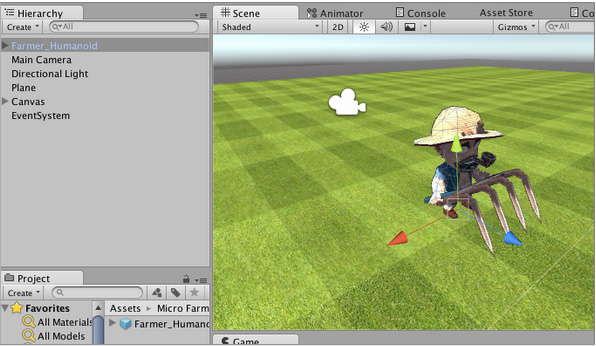
ให้นำ Model ไปวางไว้ในฉากได้เลยครับ
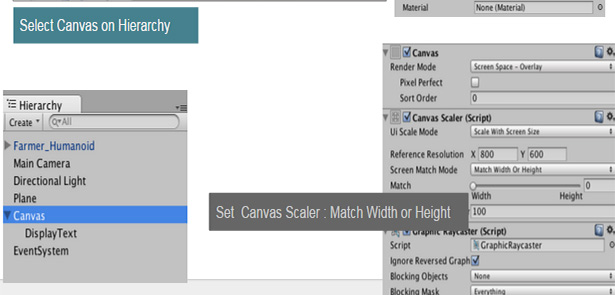
ต่อจากนั้นเพิ่ม UI -> Text ลงไปเพื่อรับค่าว่าเรา Swipe ไปทิศทางไหน ปรับ Canvas ให้เรียบร้อย
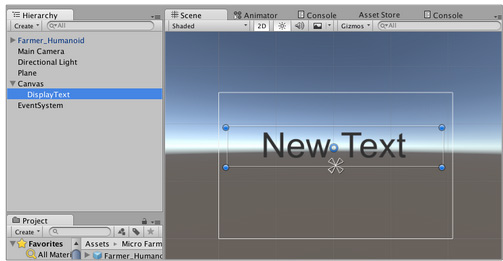
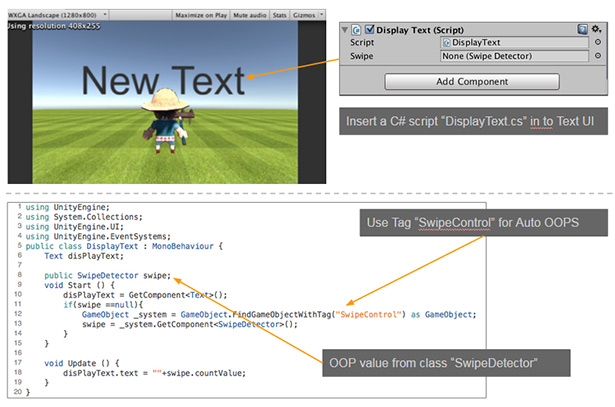
ใน UI Text ให้สร้าง C# Script ขึ้นมาใหม่ชื่อว่า DisplayText.cs ครับ อย่าเพิ่งไปแก้ไขอะไร
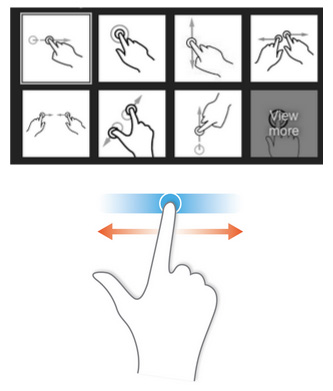
ที่ Model ตัวละครให้เราสร้าง C# Script ใหม่ขึ้นมาเช่นกันว่า SwipeDetect.cs
using UnityEngine;
using System.Collections;
public class SwipeDetect : MonoBehaviour{
	private Touch initialTouch = new Touch();
	private float distance = 0.0f;
	private bool hasSwiped = false;
	public string countValue ="";
	void FixedUpdate(){
		foreach(touch t in Input.touches){
			if(t.phase == TouchPhase.Began){
				initialTouch = t;
			}else if(t.phase == TouchPhase.Moved && !hasSwiped){
				float deltaX = initialTouch.position.x - t.position.x;
				float deltaY = initialTouch.position.y - t.position.y;
				distancee = Mathf.Sqrt((deltaX * deltaX)+(deltaY * deltaY));
				bool swipedSideways = Mathf.Abs(deltaX) > Mathf.Abs(deltaY);
				if(distance > 100f){
					if(swipedSideways && deltaX > 0 ){
						Debug.Log("Swipe Left");
						this.transform.Rotate(new Vector(0,-15f,0));
						countValue = "LEFT";
					}else if(swipedSideways && deltaX <= 0 ){
						Debug.Log("Swipe Right");
						this.transform.Rotate(new Vector(0,15f,0));
						countValue = "RIGHT";
					}else if(swipedSideways && deltaY > 0 ){
						Debug.Log("Swipe Down");
						this.transform.Rotate(new Vector(0,-180f,0));
						countValue = "DOWN";
					}else if(swipedSideways && deltaY <= 0 ){
						Debug.Log("Swipe Up");
						this.transform.Rotate(new Vector(0,180f,0));
						countValue = "UP";
					}
					hasSwiped = true;
				}
			}else if(t.phase == TouchPhase.Ended){
				initialTouch = new Touch();
				hasSwiped = false;
			}
		}
	}
}
เป็นคำสั่งในการจับ Began Touch เริ่มต้นปาดระยะทางเพื่อลบ หรือ บวก ทศนิยมไปจน Touch End คือเอานิ้วออก (จะไม่นับการแตะ หรือเคาะหน้าจอจิ้มๆเฉยๆ)
กลับไปที่ DisplayText.cs ให้เราเขียนคำสั่งในการรับค่าของ Swipe มาแสดงผลครับ
using UnityEngine;
using System.Collections;
using UnityEngine.UI;
using UnityEngine.EventSystems;
public class SwipeDetect : MonoBehaviour{
	Text disPlayText;
	public SwipeDetect swipe;
	void Start(){
		disPlayText = GetComponent<Text>();
		if(swipe==null){
			GameObject _system = GameObject.FindGameObjectWithTag("SwipeControl") as GameObject;
			swipe = _system.GetComponent<SwipeDetect>();
		}
	}
	void Update(){
		disPlayText.text = ""+swipe.contValue;
	}
}
ทำการทดสอบการ Swipe เล็กน้อย
 ทดสอบ…..
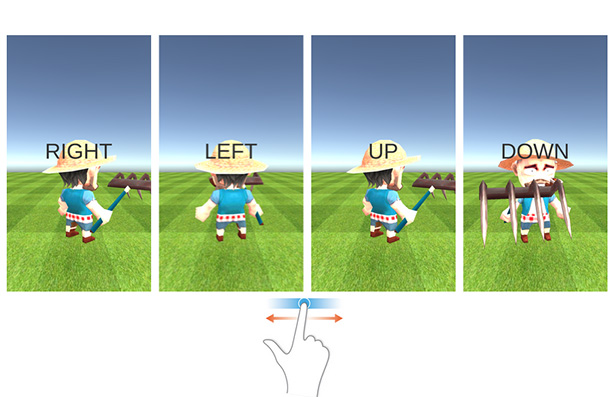
เป็นคำสั่ง Swipe อย่างง่ายๆ เอาไปประยุกต์ใช้ได้ครับ