บทเรียนนี้เรามาเขียนโปรแกรม Python ร่วมกับระบบ TLPR บริการระบบรู้จำป้ายทะเบียนรถยนต์สามารถตรวจหาอักษรภาษาไทยและตัวเลขอารบิกบนป้ายทะเบียนรถ ของ AI for Thai กัน
ภายใต้แนวคิด “AI สัญชาติไทย” เพื่อตอบโจทย์ความต้องการใช้งานในประเทศไทย ร่วมกับ Nectec ก็มีเอาแพลตฟอร์มมาเล่นบ้างช่วยปรับบ้างตามภาษา พอดีช่วงนี้ก็วิ่งเข้าไปช่วยงาน NECTEC อยู่เยอะพอประมาณ ก็เลยขอรีวิวทำ Tutorial ของเจ้า Services ของเค้าหน่อยอย่าง AI for Thai อีกตัวคือ Thai License Plate Recognition: T-LPR
ภาพที่เราจะใช้ก็คงเป็นภาพนี้ละกันขอป้ายทะเบียนรถแบบไทยๆ ขออภัยเจ้าของรถด้วยนะครับที่ยืมภาพระหว่างรถติดมาใช้
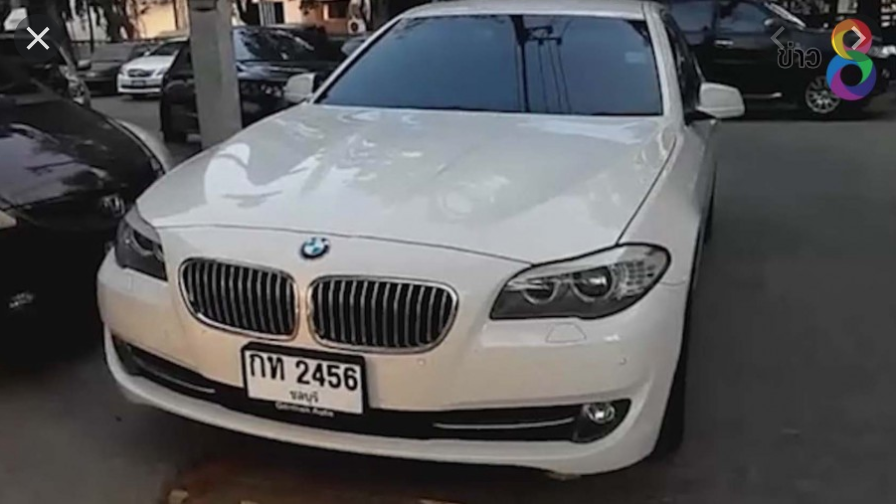
และอีกรูปคือ:
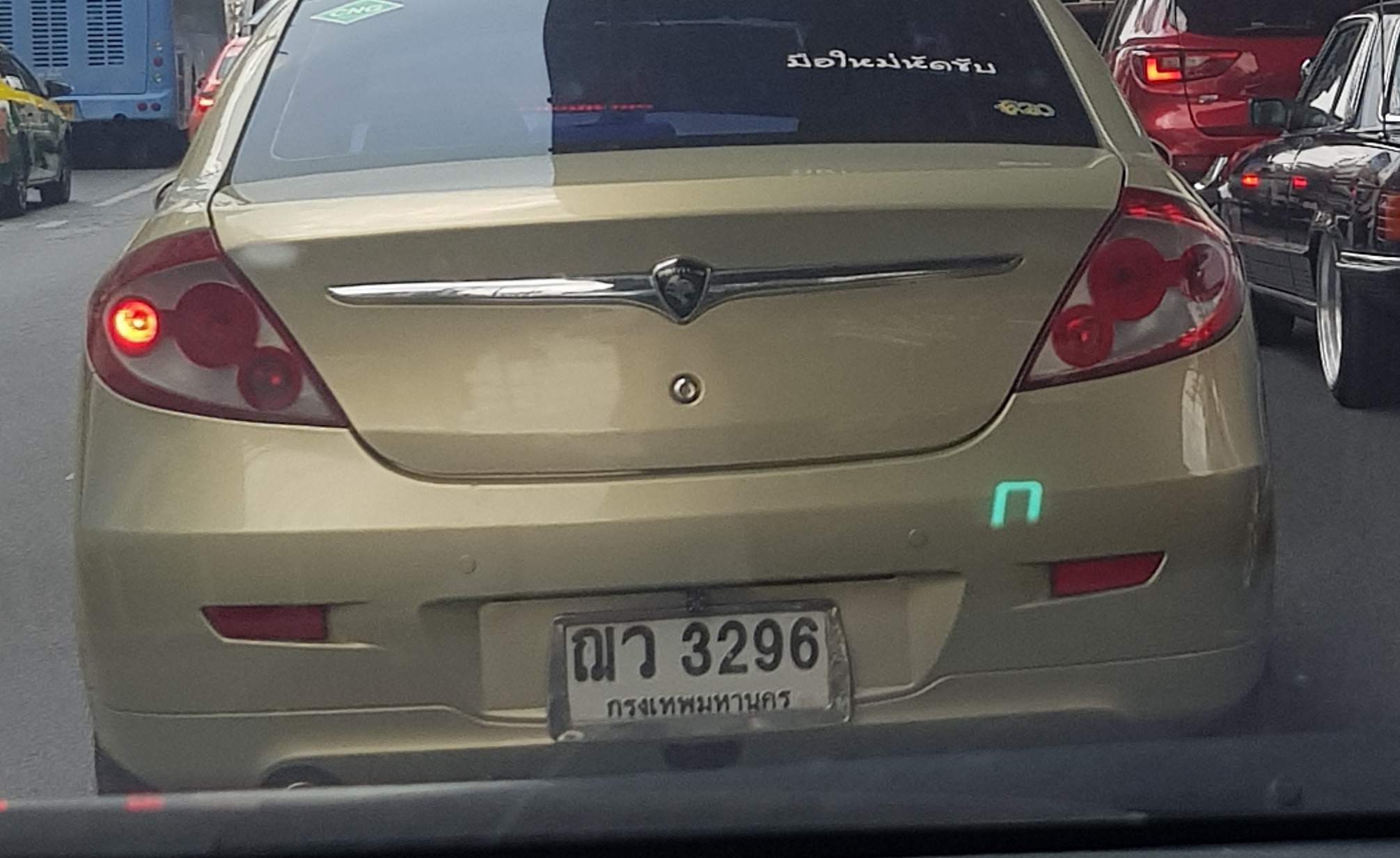
บทเรียนก่อนหน้าที่ควรศึกษา:
บทเรียนก่อนหน้านี้:
- การประมวลผลรู้จำใบหน้า Face Recognition ด้วย Python
- Face Recognition เปรียบเทียบข้อมูลใบหน้าแบบ Real-Time ด้วย Python และ OpenCV
- Python กับ OpenCV ดึงฐานข้อมูล Face Recognition ผ่านระบบ Firebase
- Review: บริการ AI for Thai มาทดสอบระบบการระบุตำแหน่งบุคคลในภาพ (Person Detection) ด้วย Python กัน
ตอนแรกจะใช้ Code Python ของ Ai for Thai ที่อยู่ในเว็บของเค้าเอง แต่ผมขอเล่นใหญ่ ใช้ matplotlib และ numpy มาช่วยในการเขียนภาพหน่อยละกัน ดังนั้นให้เราสร้างไฟล์ Python ขึ้นมาก่อนประกาศตัวแปร Header Library ดังนี้:
import numpy as np
import json
import matplotlib.pyplot as plot
import matplotlib.patches as patches
import requests
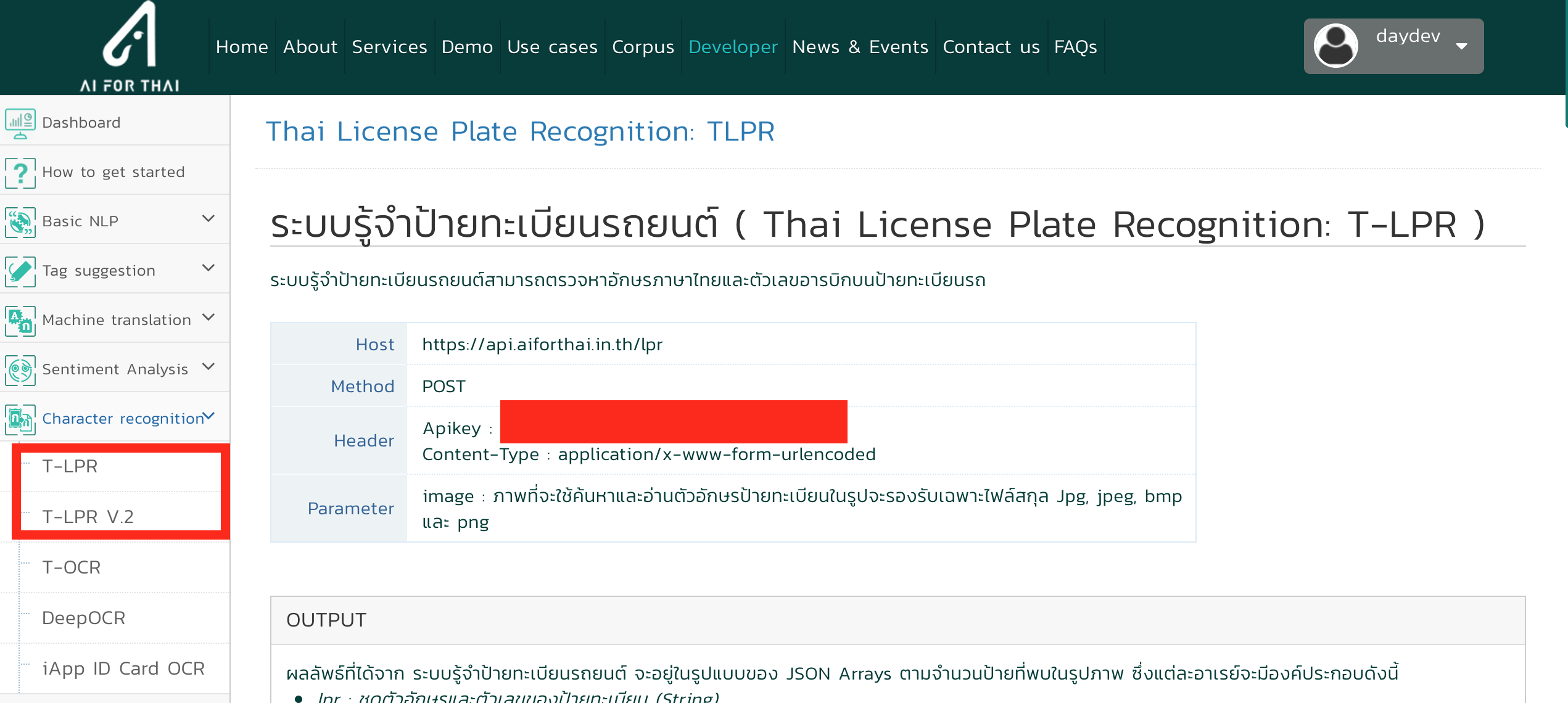
ไปเรียก API Keys และ URL ของ API จากเว็บ https://aiforthai.in.th/aiplatform/#/lpr มาใช้งานร่วมดังนี้:
url = "https://api.aiforthai.in.th/lpr-v2"
payload = {'crop': '1', 'rotate': '1'}
files = {'image':open('images/20200417_121020.jpg', 'rb')}
headers = {
    'Apikey': "<<ใส่ API Key เอานะ>>",
}
ไฟล์ภาพของผมชื่อ “20200417_121020.jpg” อันที่จริงถ้า code ของ Nectec มันจะจบตรง Return ค่าเป็น JSON กลับมาให้เราเรียกใช้ ผมเลยเขียนโปรแกรม ดึงค่า JSON และเขียนข้อมูลทับในภาพเดิม โดยการใช้คำสั่งนี้:
from PIL import Image
images = np.array(Image.open('images/20200417_121020.jpg'), dtype=np.uint8)

response = requests.post( url, files=files, headers=headers)
print(response.json())
ได้เวลาดึงค่ามา Plot บน matplotlib และ numpy กัน
data = response.json()
for item in data:
    _object = (item['lpr'])
    xLeftTop = int(item['bbox']['xLeftTop'])
    yleftTop = int(item['bbox']['yLeftTop'])
    xRightBottom = int(item['bbox']['xRightBottom'])/3
    yRightBottom = int(item['bbox']['yRightBottom'])/3

    figure, get_axis = plot.subplots(1)
    get_axis.imshow(images)
    rect = patches.Rectangle((xLeftTop,yleftTop),xRightBottom,yRightBottom,linewidth=5,edgecolor='#7FFF00',facecolor='none')
    get_axis.add_patch(rect)
    plot.text(xLeftTop, yleftTop-50,_object,fontname='Tahoma',fontsize='20',color='#7FFF00')
    plot.show()
เอา Plot มารับค่า ตำแหน่งที่ต้อง Crop แล้วเขียนคำสั่งปรับระยะแบบบ้านๆ ใส่สี ใส่ Text เรียก Tahoma มาใส่ดังนั้น Code Python ทั้งหมดเป็นแบบนี้:
import numpy as np
import json
import matplotlib.pyplot as plot
import matplotlib.patches as patches
import requests

url = "https://api.aiforthai.in.th/lpr-v2"
payload = {'crop': '1', 'rotate': '1'}
files = {'image':open('images/20200417_121020.jpg', 'rb')}
headers = {
    'Apikey': "<<ใส่ API KEY>>",
    }
from PIL import Image
images = np.array(Image.open('images/20200417_121020.jpg'), dtype=np.uint8)

response = requests.post( url, files=files, headers=headers)
print(response.json())
data = response.json()
for item in data:
    _object = (item['lpr'])
    xLeftTop = int(item['bbox']['xLeftTop'])
    yleftTop = int(item['bbox']['yLeftTop'])
    xRightBottom = int(item['bbox']['xRightBottom'])/3
    yRightBottom = int(item['bbox']['yRightBottom'])/3

    figure, get_axis = plot.subplots(1)
    get_axis.imshow(images)
    rect = patches.Rectangle((xLeftTop,yleftTop),xRightBottom,yRightBottom,linewidth=5,edgecolor='#7FFF00',facecolor='none')
    get_axis.add_patch(rect)
    plot.text(xLeftTop, yleftTop-50,_object,fontname='Tahoma',fontsize='20',color='#7FFF00')
    plot.show()
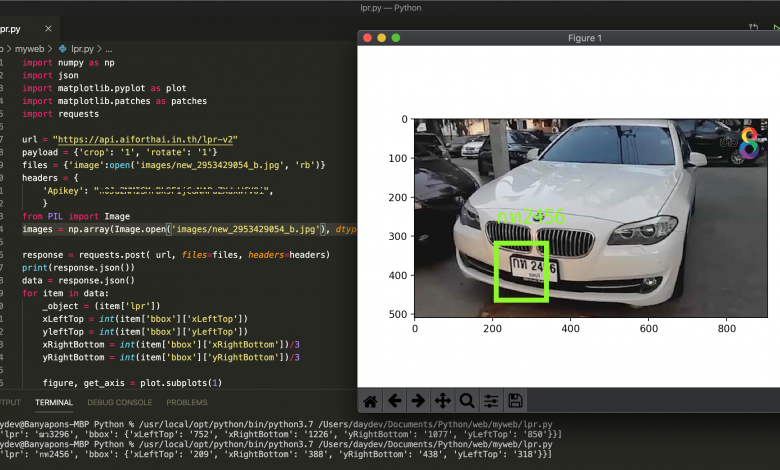
ทดสอบรันโปรแกรมดูหน่อย
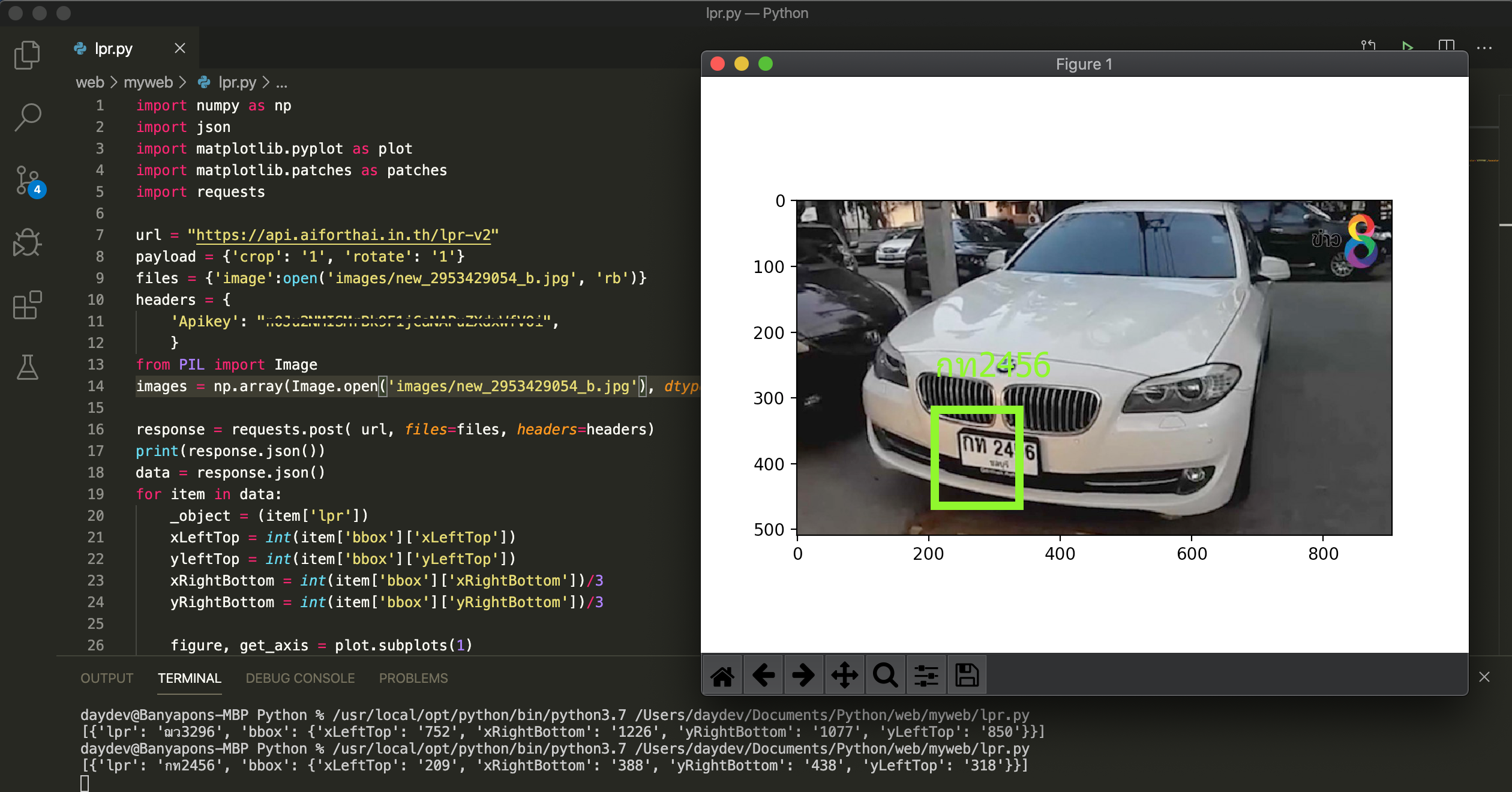
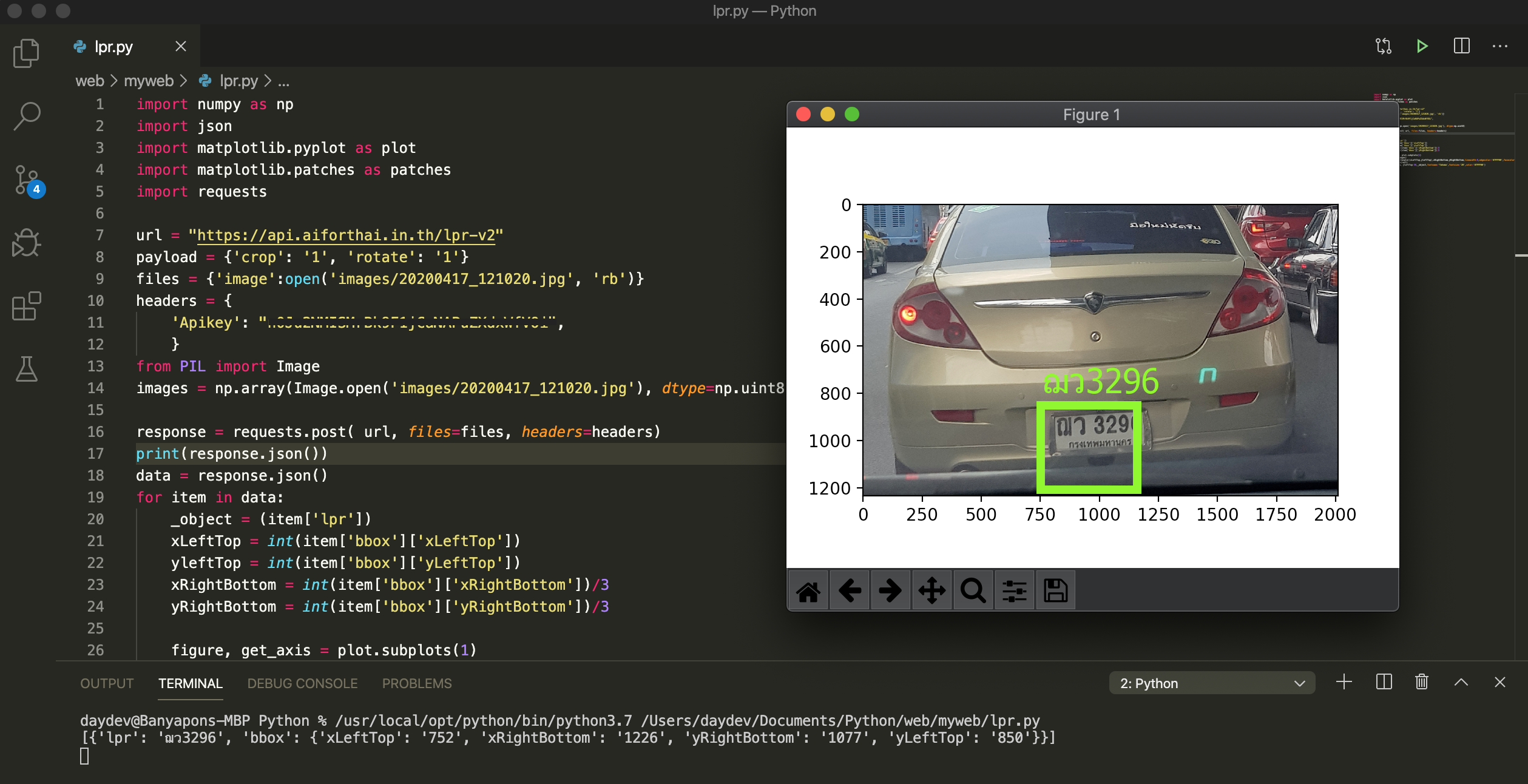
จับได้โอเคอยู่นะครับ ถามว่ามีอะไรที่ไม่แม่นไหมก็มีนะครับ อาจจะเป็นเรื่องของการเทรนโมเดลนั่นแหละอย่างภาพนี้เลย:
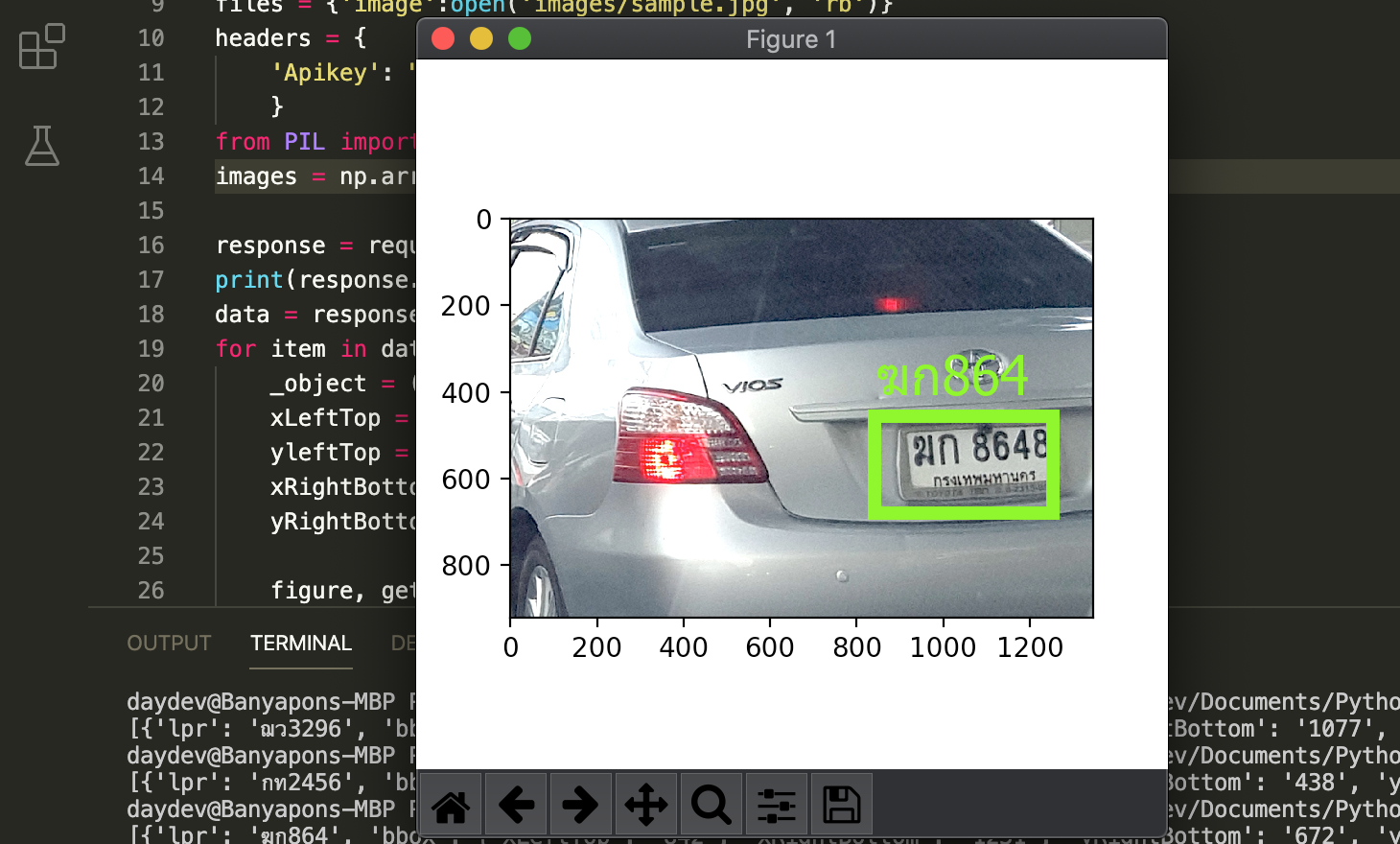
เลข 8 ตัวหลังมันจับไม่ติดเพราะอะไรก็ไม่รู้เหมือนกัน นี่ก็เป็นการรีวิวน่าสนใจอีกตัวนะครับ บริการจาก Ai For Thai ของ Nectec