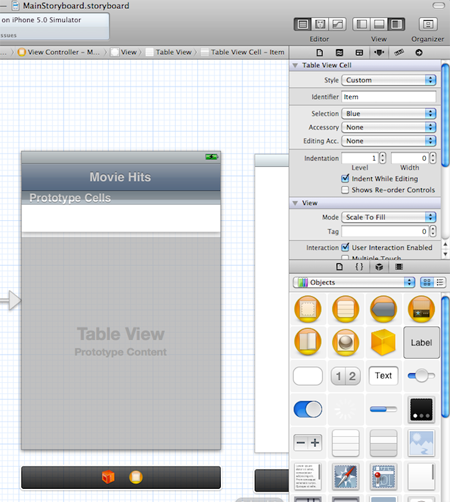
กดที่ Cell แล้วไปที่แท็บ Attribute Inspector แล้วตั้งชื่อว่า "Item”
Home/ iOS Developer ตอนที่ 6 ใช้งาน UITableView กับการส่งค่าผ่าน StoryBoard/กดที่ Cell แล้วไปที่แท็บ Attribute Inspector แล้วตั้งชื่อว่า “Item” กดที่ Cell แล้วไปที่แท็บ Attribute Inspector แล้วตั้งชื่อว่า “Item” กดที่ Cell แล้วไปที่แท็บ Attribute Inspector แล้วตั้งชื่อว่า “Item”