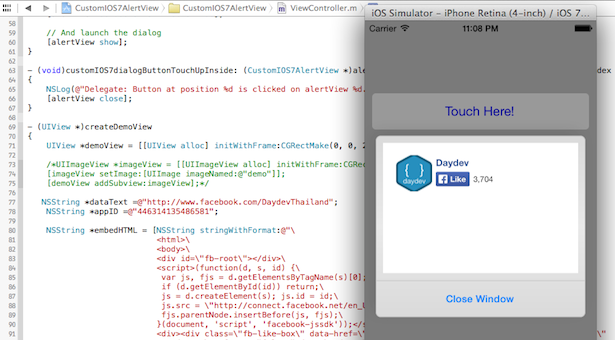
บทเรียน และ Source Code โปรเจ็คสำหรับสร้างลูกเล่นให้กับแอพ iPhone ของคุณอย่าง Facebook LikeBox ให้ดูโดดเด่นด้วย CustomIOS7AlertView ที่เท่ และแสนง่าย
พอดีทำโปรเจ็ค เกี่ยวกับ Custom ตัว UIAlertView ให้น่าสนใจก็เลยไปเจอ Source code ตัวนี้ครับ CustomIOS7AlertView ดาวน์โหลดได้ที่ https://github.com/wimagguc/ios-custom-alertview
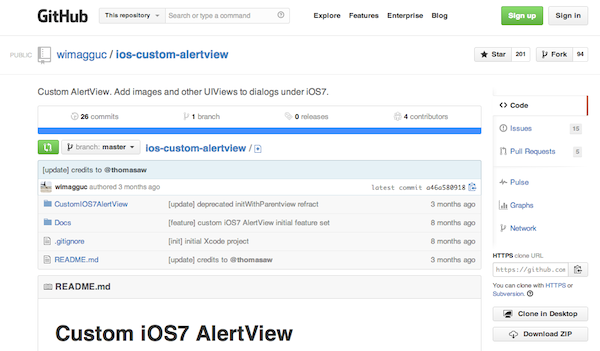
ดาวน์โหลด Source Code มาก็จะเจอการติดตั้ง แสนง่ายครับ วิธีการติดตั้งก็คือ ถ้าต้องการใช้งาน เปิดไฟล์ ViewController.h ขึ้นมาครับ แล้วใส่ Code ดังนี้
#import <UIKit/UIKit.h>
#import "CustomIOS7AlertView.h"
@interface ViewController : UIViewController<CustomIOS7AlertViewDelegate>
@end
แล้วเวลาใช้งานก็สร้าง IBAction ขึ้นมาเป็น Action ครับ ตามด้วย Source Code ต่อไปนี้
- (IBAction)launchDialog:(id)sender
{
    // Here we need to pass a full frame
    CustomIOS7AlertView *alertView = [[CustomIOS7AlertViewalloc] init];
    // Add some custom content to the alert view
    [alertView setContainerView:[selfcreateDemoView]];
    // Modify the parameters
    [alertView setButtonTitles:[NSMutableArrayarrayWithObjects:@"Close Window", nil]];
    [alertView setDelegate:self];
    // You may use a Block, rather than a delegate.
    [alertView setOnButtonTouchUpInside:^(CustomIOS7AlertView *alertView, int buttonIndex) {
        NSLog(@"Block: Button at position %d is clicked on alertView %d.", buttonIndex, [alertView tag]);
        [alertView close];
    }];

    [alertView setUseMotionEffects:true];
    // And launch the dialog
    [alertView];
}
นอกนั้นก็เอา Code ของที่ตัวอย่าง แถมมาให้เอาไปใช้ครับ
- (void)customIOS7dialogButtonTouchUpInside: (CustomIOS7AlertView *)alertView clickedButtonAtIndex: (NSInteger)buttonIndex
{
    NSLog(@"Delegate: Button at position %d is clicked on alertView %d.", buttonIndex, [alertView tag]);
    [alertView close];
}

- (UIView *)createDemoView
{
    UIView *demoView = [[UIView alloc] initWithFrame:CGRectMake(0, 0, 290, 200)];
    UIImageView *imageView = [[UIImageView alloc] initWithFrame:CGRectMake(10, 10, 270, 180)];
    [imageView setImage:[UIImage imageNamed:@"demo"]];
    [demoView addSubview:imageView];
    return demoView;
}
ลอง Run Project ดูครับ (จริงๆ ดาวน์โหลด Source code มา Run เลยก็ได้ครับ)
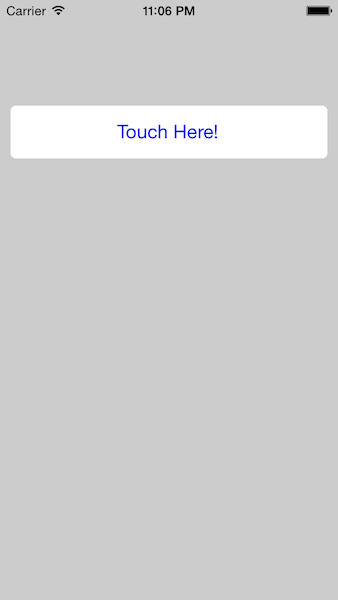
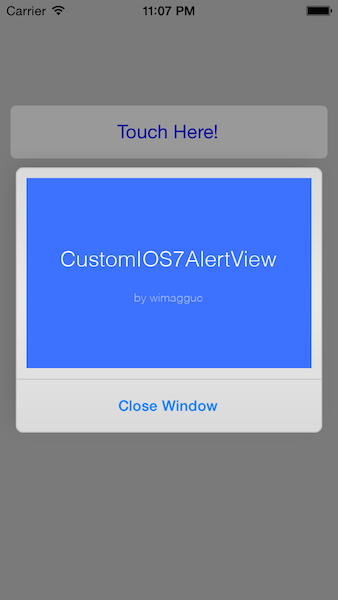
ทีนี้ถ้าเอาแค่รีวิว ธรรมดา มันก็คงจะธรรมดาไปไม่ใช่สไตล์ของ Daydev ดังนั้นเราต้องทำอะไรแปลกๆ แหวกแนวครับ นั่นคือการทำ Like Box ของ Facebook มาปรากฏบน UIAlertView
ต้องไปเอา Like Box มาก่อน ให้ไปสร้างที่ https://developers.facebook.com/docs/plugins/like-box-for-pages/
สิ่งที่ต้องใช้คือ
- URL ของ Fan Page เช่นของผม http://www.facebook.com/daydevthailand
- APP ID ที่เราจะใช้ ของผม “446314135486581”
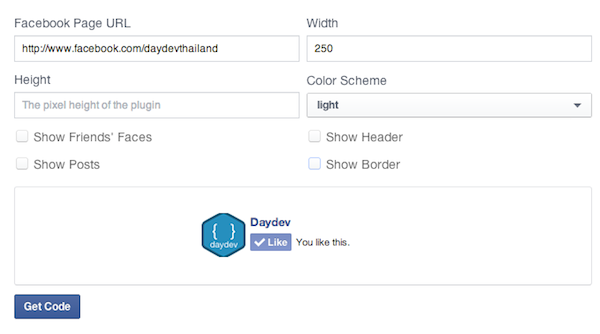
สร้างใช้ AppID ขึ้นมา
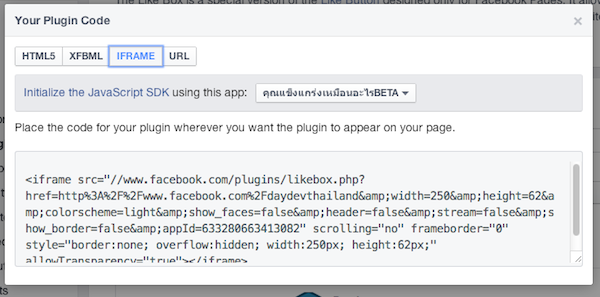
ตามภาพครับ (อย่า งง นะผมจะวางยาล่ะ เพราะผมจะเลือก HTML5 มาใช้)
ทีนี้มาแก้ไข Code เล็กน้อยกัน ผมสร้างตัวแปลขึ้นมา 2 ตัว ลบ UIImage ไปก่อน
NSString *dataText =@"http://www.facebook.com/DaydevThailand";
NSString *appID =@"446314135486581";
เอา Code HTML5 มาใช้งานร่วมกับ WebView ครับ
- (UIView *)createDemoView
{
    UIView *demoView = [[UIView alloc] initWithFrame:CGRectMake(0, 0, 290, 200)];
    NSString *dataText =@"http://www.facebook.com/DaydevThailand";
    NSString *appID =@"446314135486581";
    NSString *embedHTML = [NSStringstringWithFormat:@"\
                           <html>\
                           <body>\
                           <div id=\"fb-root\"></div>\
                           <script>(function(d, s, id) {\
                            var js, fjs = d.getElementsByTagName(s)[0];\
                            if (d.getElementById(id)) return;\
                            js = d.createElement(s); js.id = id;\
                            js.src = \"http://connect.facebook.net/en_US/sdk.js#xfbml=1&appId=%@&version=v2.0\";\
                            fjs.parentNode.insertBefore(js, fjs);\
                           }(document, 'script', 'facebook-jssdk'));</script>\
                           <div><div class=\"fb-like-box\" data-href=\"%@\" data-width=\"200\" data-colorscheme=\"light\" data-show-faces=\"false\" data-header=\"false\" data-stream=\"false\" data-show-border=\"false\"></div></div>\
                           </body>\
                           </html>", appID,dataText];
    UIWebView *webView = [[UIWebViewalloc] initWithFrame:CGRectMake(10, 10, 270, 180)];
    [webView loadHTMLString:embedHTML baseURL:[[NSBundlemainBundle] resourceURL]];
    [demoView addSubview:webView];
   return demoView;
}
ลอง Run ดูสักนิดสิ
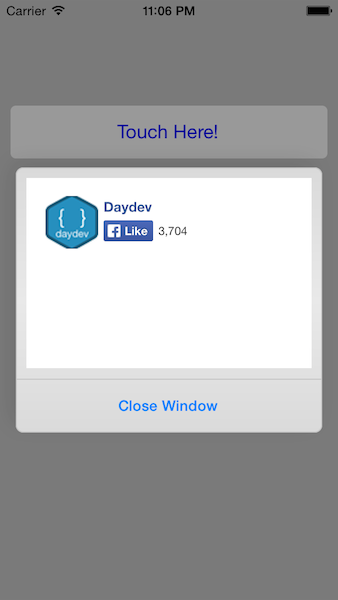
ดาวน์โหลด Source Code ที่นี่ครับ http://adf.ly/m3dL0
เพิ่มเติม
สำหรับใครที่สนใจพัฒนาแอพพลิเคชัน บน iOS7.1 สามารถซื้อหนังสือของ เว็บไซต์ Daydev ได้แล้วตาม รายละเอียดนี้ครับ
[fb_embed_post href=”https://www.facebook.com/photo.php?fbid=777971808913916&set=a.390784317632669.96833.323517721025996&type=1/” width=”600″/]