ตัวอย่างนี้เป็นแนวทางสำหรับคนที่ต้องการเขียน API ของ Line SDK ส่วนของ Line Login ร่วมกับแอพพลิเคชันระบบปฏิบัติการ Android
Line ได้เปิด Social API ให้กับนักพัฒนาแอพพลิเคชันและเกม ออกมา 2 ตัวคือ Line Login และ Message API ครับซึ่งตัวอย่างนี้เราจะใช้ Line Login ก่อน ซึ่งการทำงานก็ไม่มีอะไรมากครับ คือการ Authentication เข้าแอพพิลเคชัน หรือ เกมเหมือนการใช้ Facebook Login นั่นแหละ แต่เป็นการใช้ Line แทนนั่นเองครับ
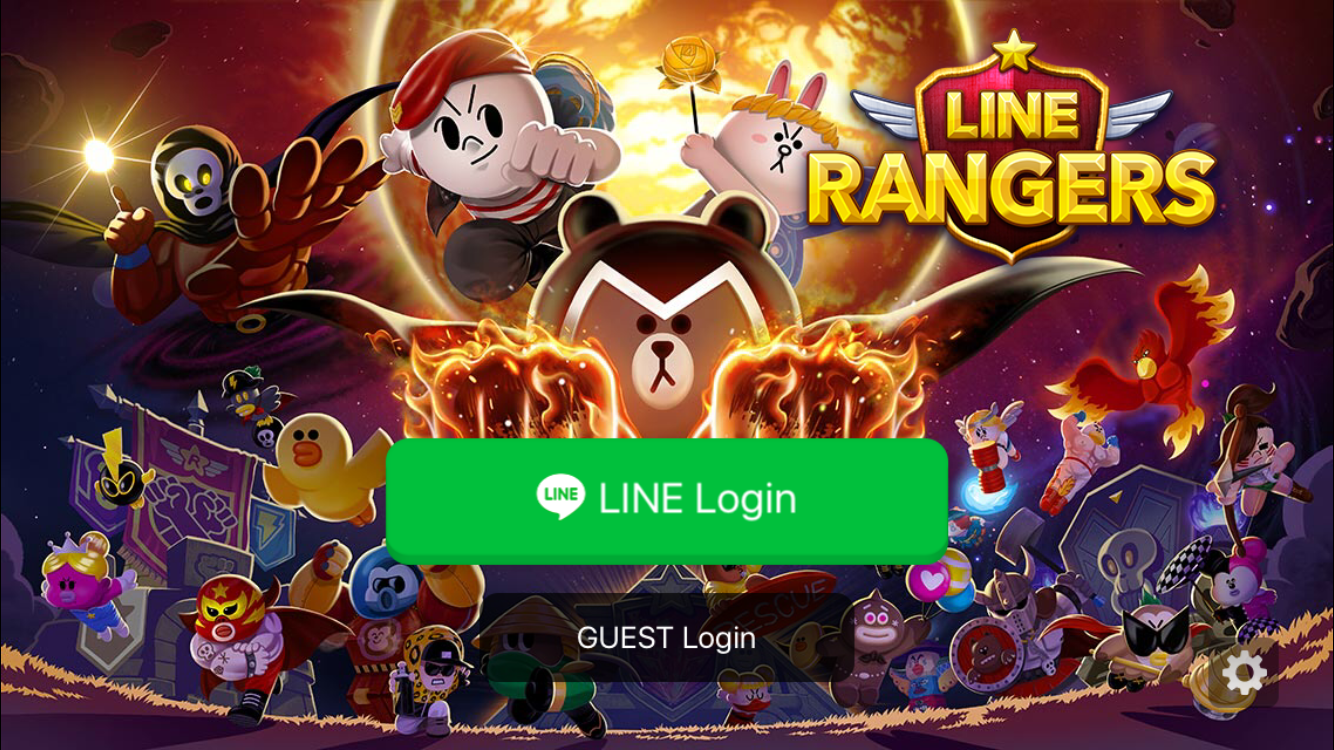
ตัวอย่างจาก Line developer Portal
การสมัคร Line Developer
ไปที่ Line Developer (https://developers.line.me) ทำการสมัครเป็นนักพัฒนาครับ
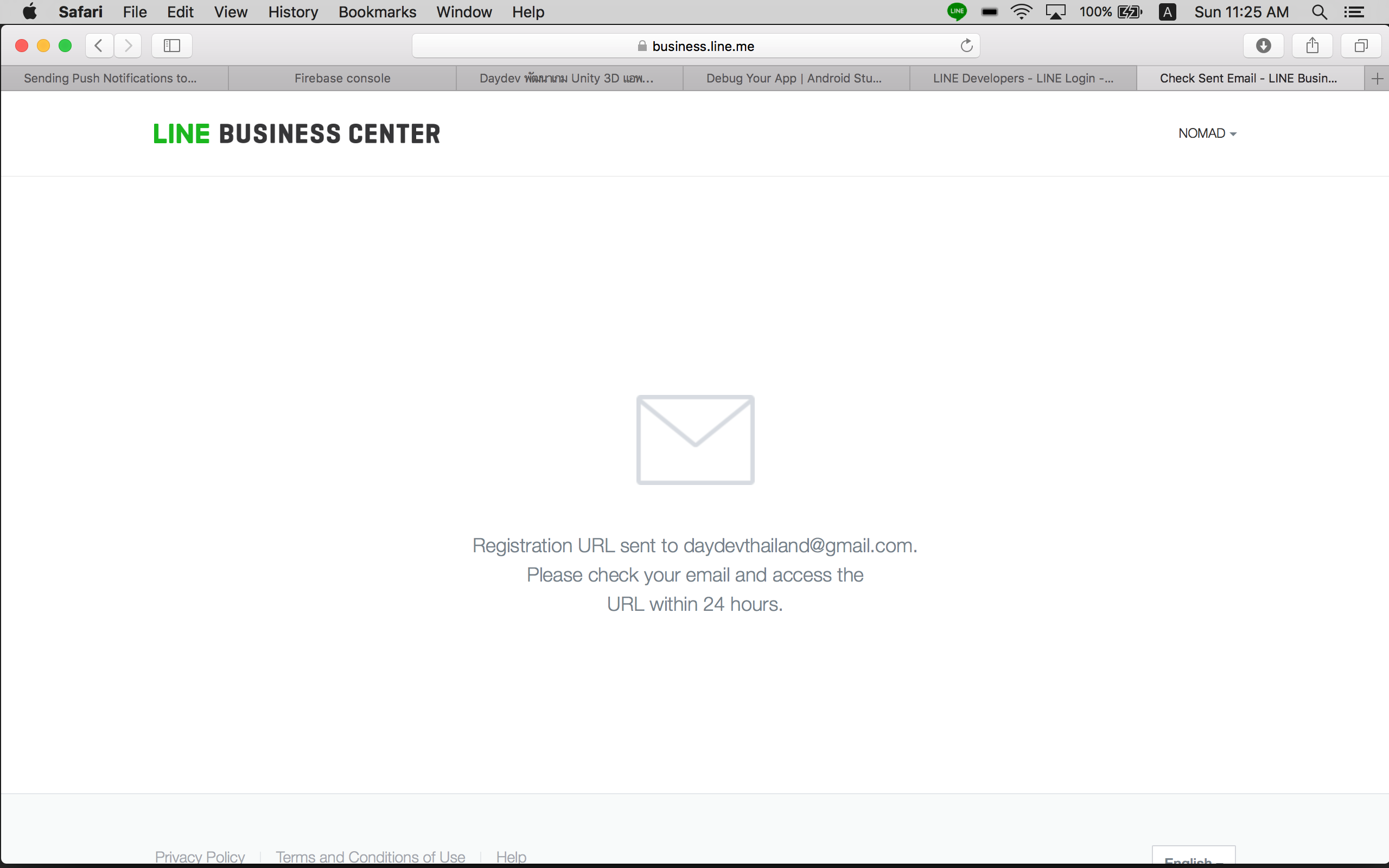
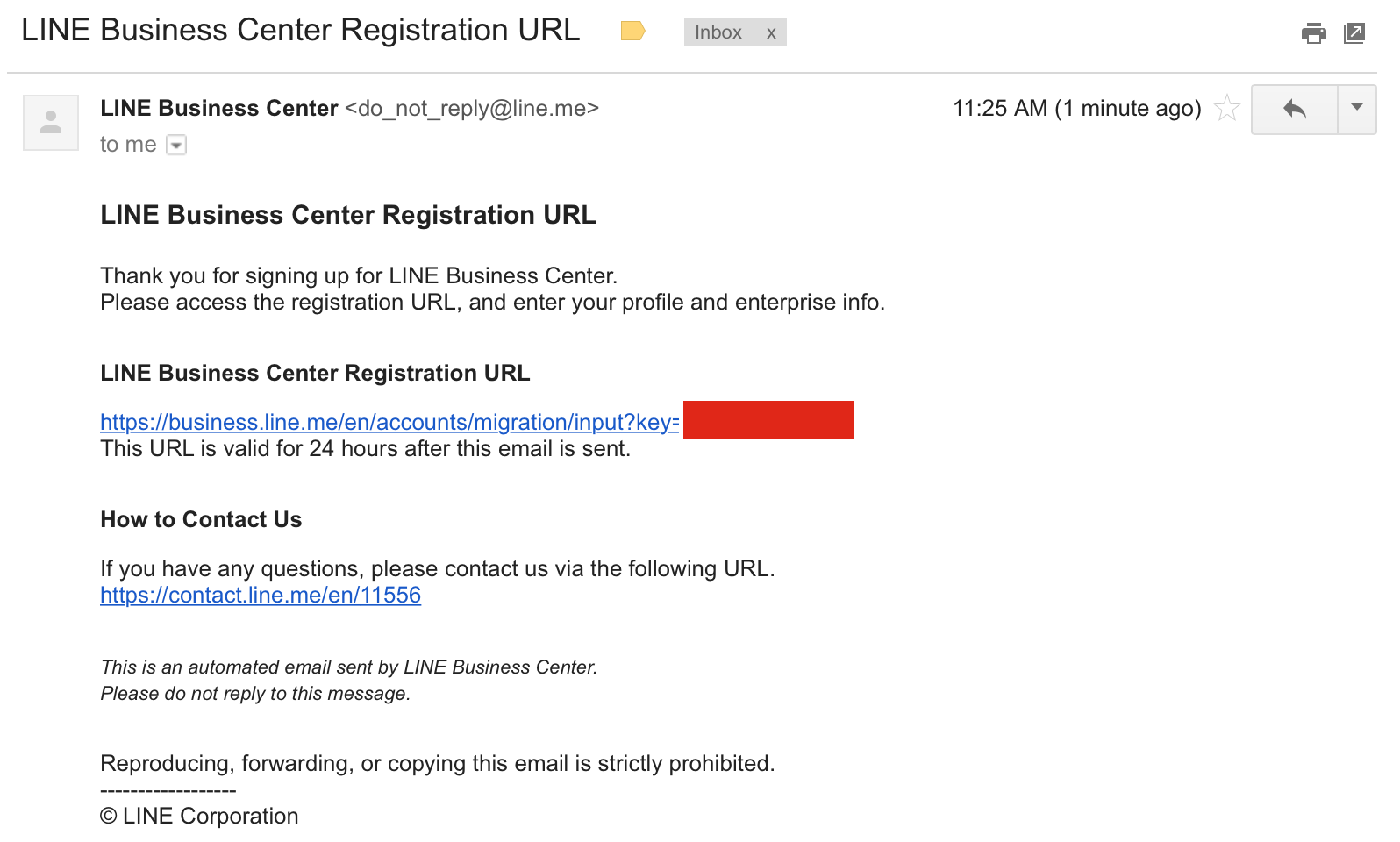
ใช้ Line ID หรือ Email ของเราในการสมัครเป็นนักพัฒนา เปิดเมลเพื่อ Activated ยืนยันตัวตนครับ ระบบจะพาเรากลับไปยัง Developer Portal ใหม่
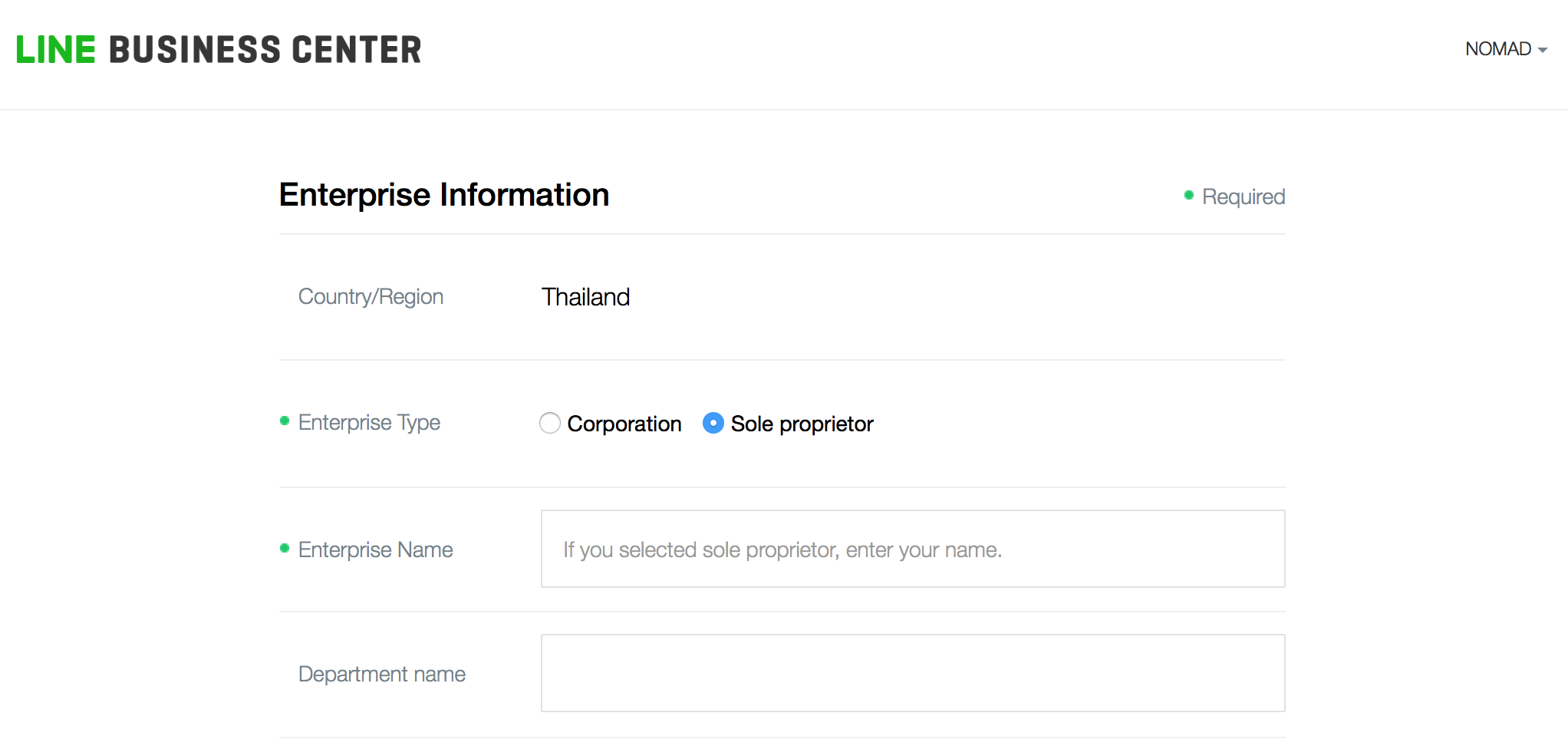
ให้เราเปิดใช้งาน Social API ของ Line Login
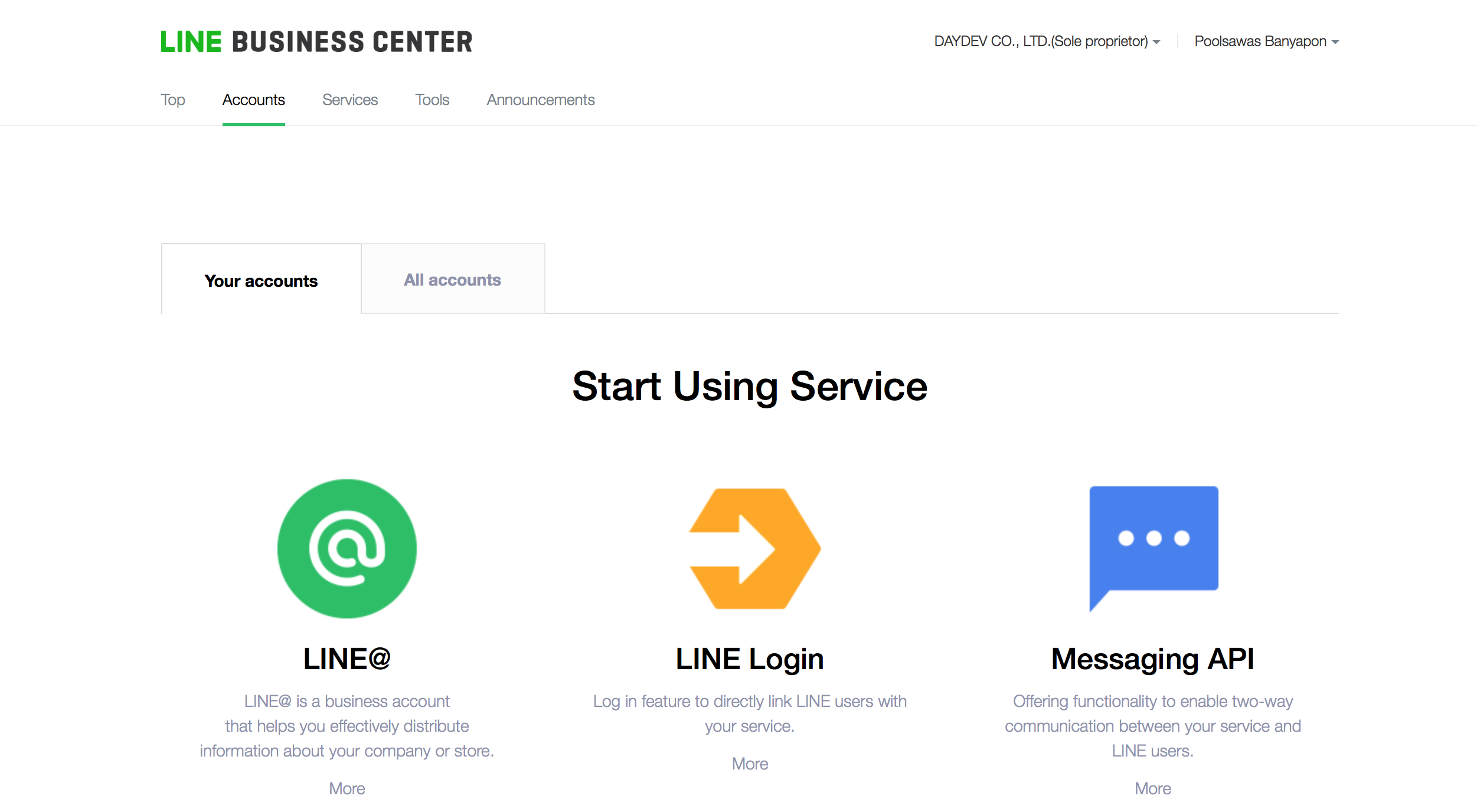
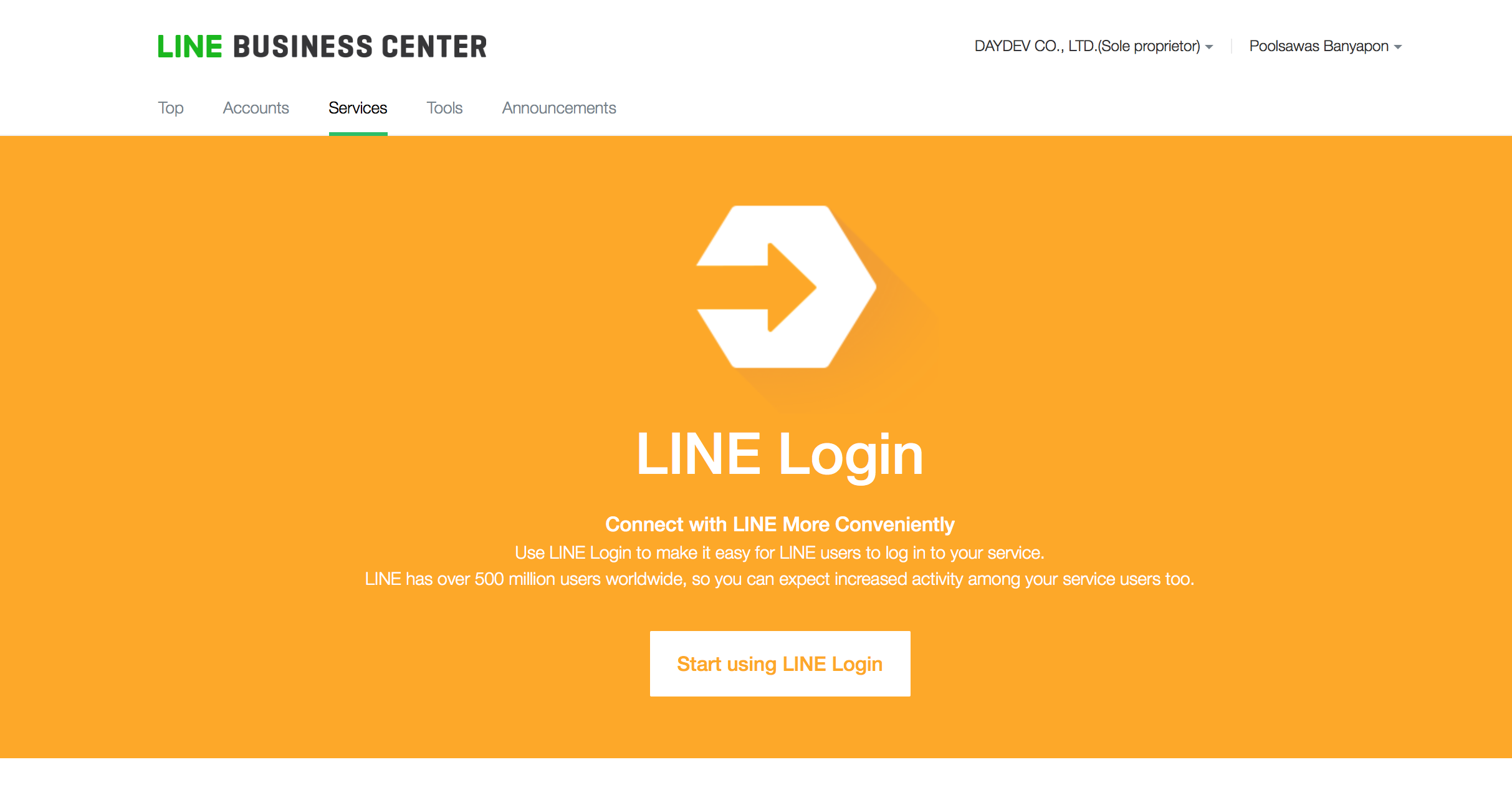
ไปเลือกที่ LINE Login ครับ
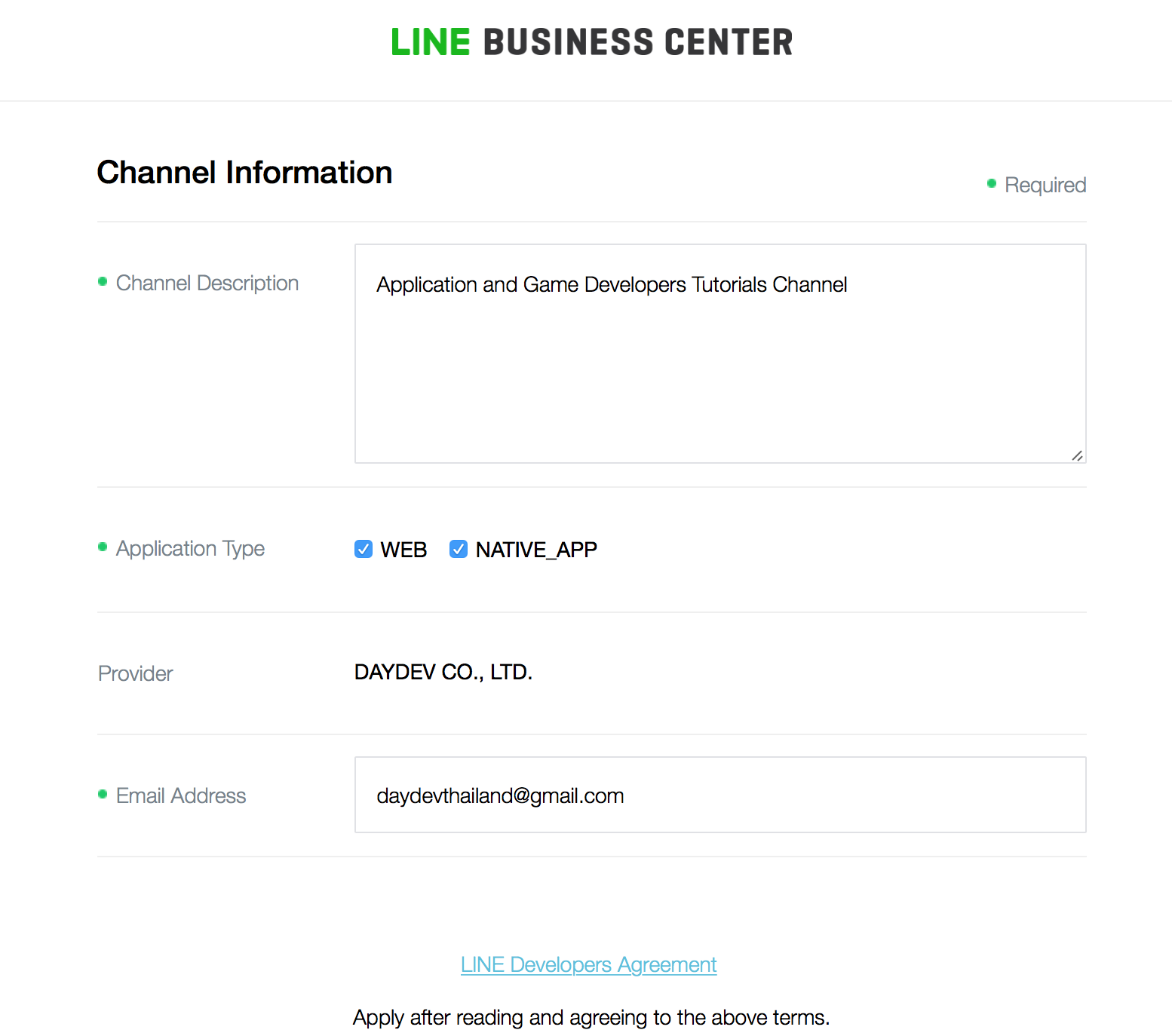
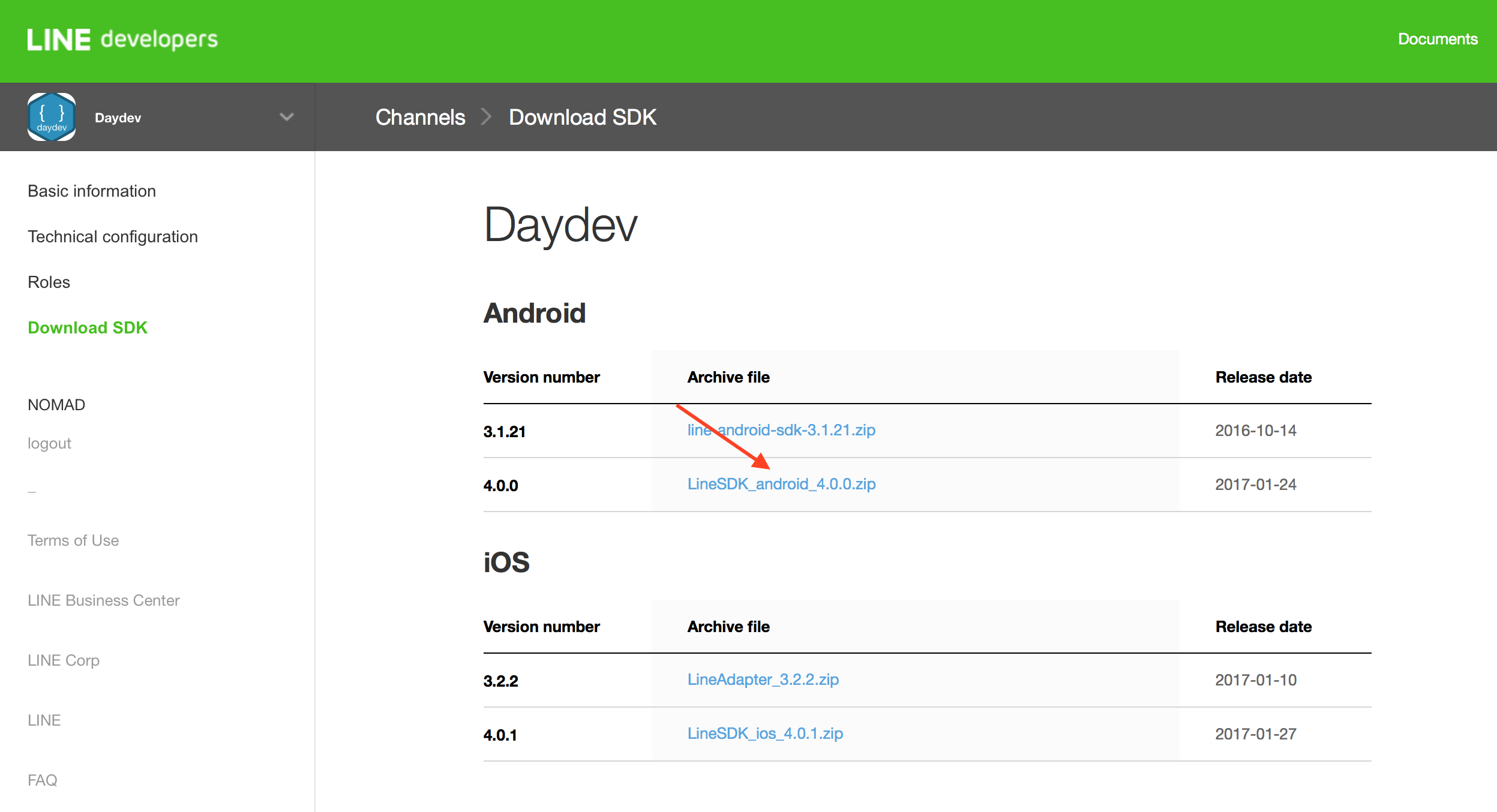
เลือกเป็น WEB และ NATIVE_APP ไปเลยเผื่อจะต่อยอดส่วนของ เว็บไซต์ด้วย หลังจากนั้นไปที่เมนู Download SDK เลือก LineSDK_android_4.0.0.zip ครับ ดาวน์โหลดมาแตกไฟล์ zip ให้เรียบร้อย
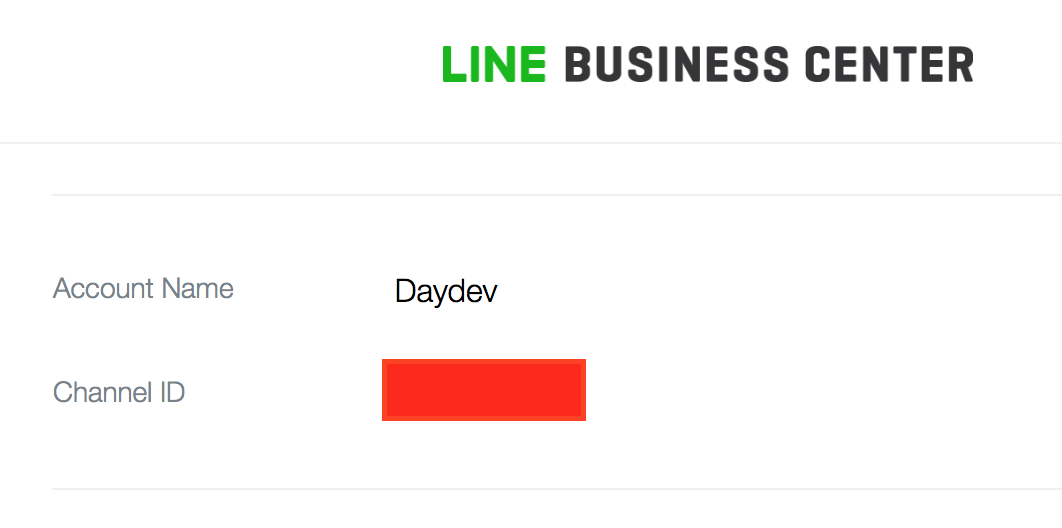
เราจะได้ Channel ID มาด้วย
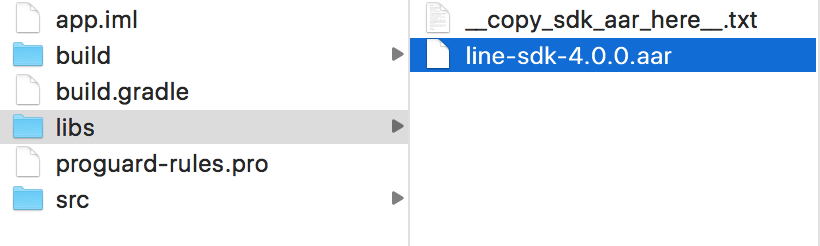
คราวนี้เราก็มาออกแบบแอพพิลเคชันของเราบ้างดีกว่า เปิด Android Studio ขึ้นมาครับ สร้าง Basic Activity ใหม่ เลือกโหมดของ Solution เป็น Projects ครับไปยัง Folder ชื่อ libs นำไฟล์ .arr ของ Line SDK ไปวางในนั้นซะ
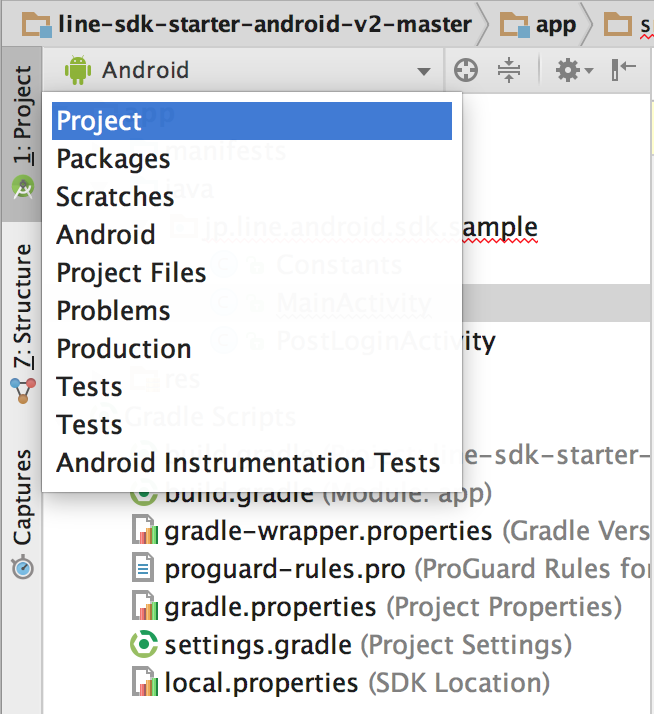
เปิดโหมด Project หา libs แล้วนำไฟล์ .aar ไปวาง
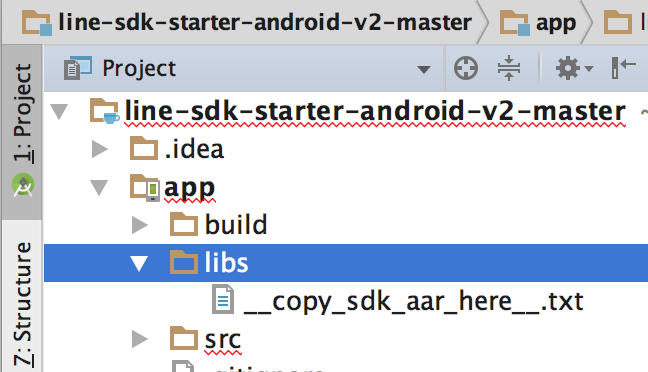
ตามตัวอย่าง
ทำการเปิด buil.Gradle ส่วนของ Project ขึ้นมาตั้งค่าตามนี้
allprojects {
    repositories {
        jcenter()
        flatDir {
            dirs 'libs'
        }
    }
}
ให้มีการ Flat ไปยัง Directory ที่ชื่อว่า “libs” หลังจากนั้นเปิด Gradle ของส่วน Module ขึ้นมา แก้ไขดังนี้ใน dependencies
compile(name:'line-sdk-4.0.0', ext:'aar')
ไฟล์จะเป็นแบบนี้
apply plugin: 'com.android.application'

android {
    compileSdkVersion 25
    buildToolsVersion "25.0.2"
    defaultConfig {
        applicationId "com.daydev.lineapidev"
        minSdkVersion 15
        targetSdkVersion 25
        versionCode 1
        versionName "1.0"
        testInstrumentationRunner "android.support.test.runner.AndroidJUnitRunner"
    }
    buildTypes {
        release {
            minifyEnabled false
            proguardFiles getDefaultProguardFile('proguard-android.txt'), 'proguard-rules.pro'
        }
    }
}

dependencies {
    compile fileTree(dir: 'libs', include: ['*.jar'])
    androidTestCompile('com.android.support.test.espresso:espresso-core:2.2.2', {
        exclude group: 'com.android.support', module: 'support-annotations'
    })
    compile 'com.android.support:appcompat-v7:25.2.0'
    compile 'com.android.support:design:25.2.0'
    compile(name:'line-sdk-4.0.0', ext:'aar')
    testCompile 'junit:junit:4.12'
}
ไปที่ AndroidManiFest.xml เปิด Permission ของ Internet ครับ
<uses-permission android:name="android.permission.INTERNET" />
ต่อมาเรามาออกแบบหน้าจอ XML ของ content_activity.xml ดังนี้
<?xml version="1.0" encoding="utf-8"?>
<RelativeLayout xmlns:android="http://schemas.android.com/apk/res/android"
    xmlns:app="http://schemas.android.com/apk/res-auto"
    xmlns:tools="http://schemas.android.com/tools"
    android:id="@+id/content_main"
    android:layout_width="match_parent"
    android:layout_height="match_parent"
    android:paddingBottom="@dimen/activity_vertical_margin"
    android:paddingLeft="@dimen/activity_horizontal_margin"
    android:paddingRight="@dimen/activity_horizontal_margin"
    android:paddingTop="@dimen/activity_vertical_margin"
    app:layout_behavior="@string/appbar_scrolling_view_behavior"
    tools:context="com.daydev.lineapidev.MainActivity"
    tools:showIn="@layout/activity_main">

    <Button
        android:id="@+id/login_button"
        android:layout_width="match_parent"
        android:layout_height="wrap_content"
        android:text="Login with LINE"
        android:layout_centerVertical="true"
        android:layout_centerHorizontal="true"
        android:background="@color/colorPrimary"
        android:textColor="@android:color/background_light" />

    <Button
        android:id="@+id/browser_login_button"
        android:layout_width="match_parent"
        android:layout_height="wrap_content"
        android:text="Browser Login"
        android:layout_marginTop="45dp"
        android:layout_below="@+id/login_button"
        android:layout_alignParentLeft="true"
        android:layout_alignParentStart="true"
        android:background="@color/colorPrimary"
        android:textColor="@android:color/background_light" />
</RelativeLayout>
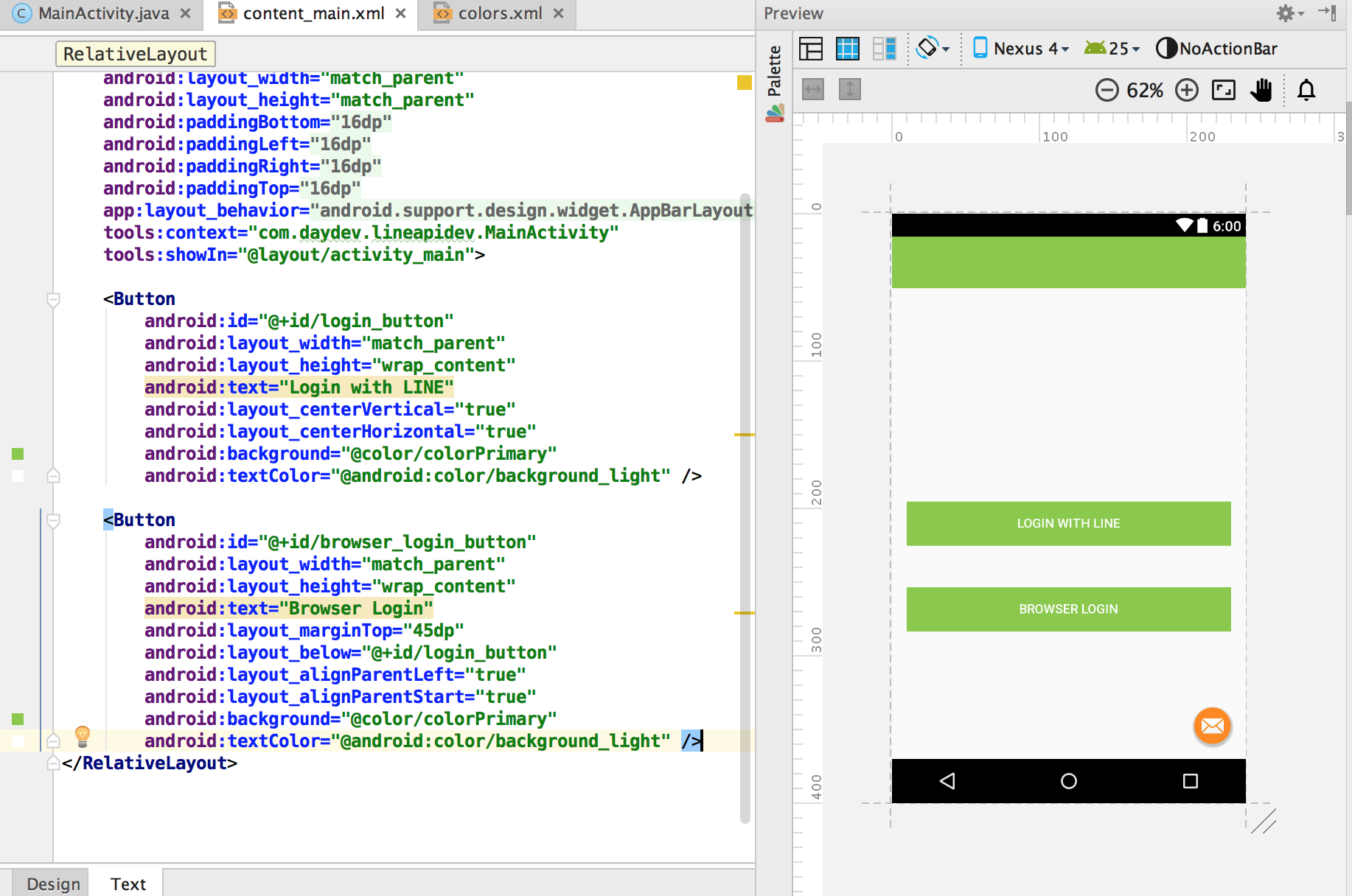
ในการทำงานเราจะมีการแบ่ง Class ของ Activity เพิ่มมาคือส่วนของ Post Login และการเก็บค่า Channel ID ซึ่งเก็บใน strings.xml ก็ได้แต่ตัวอย่างเก็บไว้ใน Class ชื่อ Constants
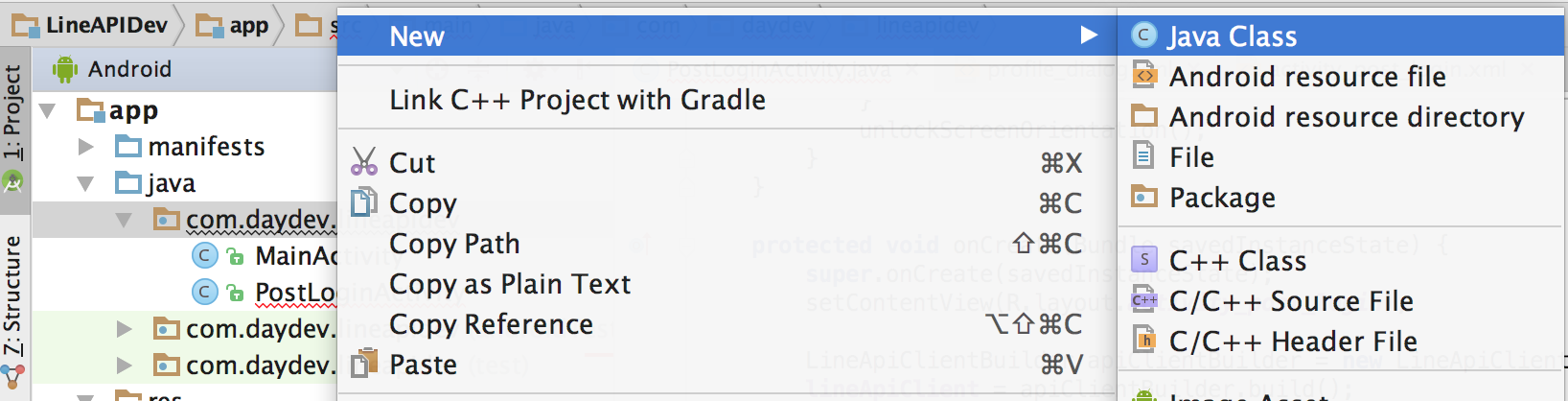
ทำการสร้าง Java Class มาใหม่ใน Package ของเรา
ตั้งชื่อว่า Constants
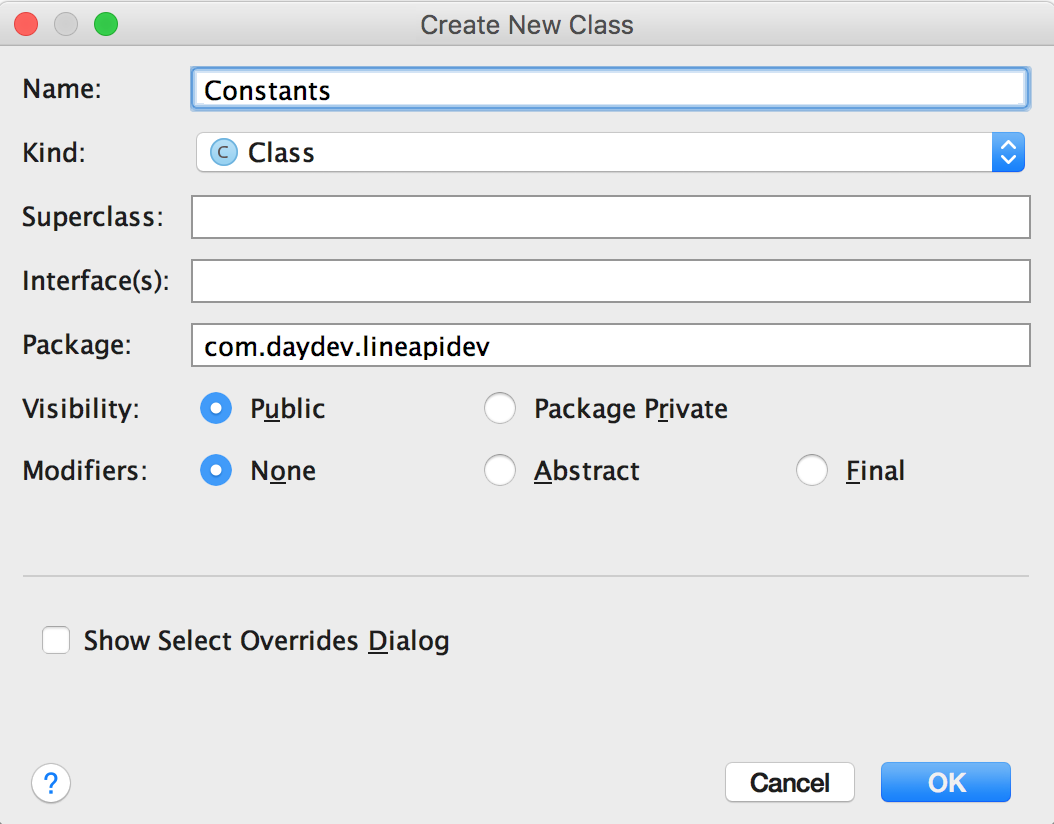
ใน Class Constants.java เก็บ Channel ID ของเราครับ
package com.daydev.lineapidev;

/**
 * Created by banyapon on 3/5/2017 AD.
 */

public class Constants {

    // Set this value to your Channel ID
    public static final String CHANNEL_ID = "1XXXXXXXX4";
}
ไปที่ https://developers.line.me/ba/tech/ ส่วนของ Technical Configuration ทำการใส่ package name และ Hashkey ของ แอพพลิเคชันเราลงไป
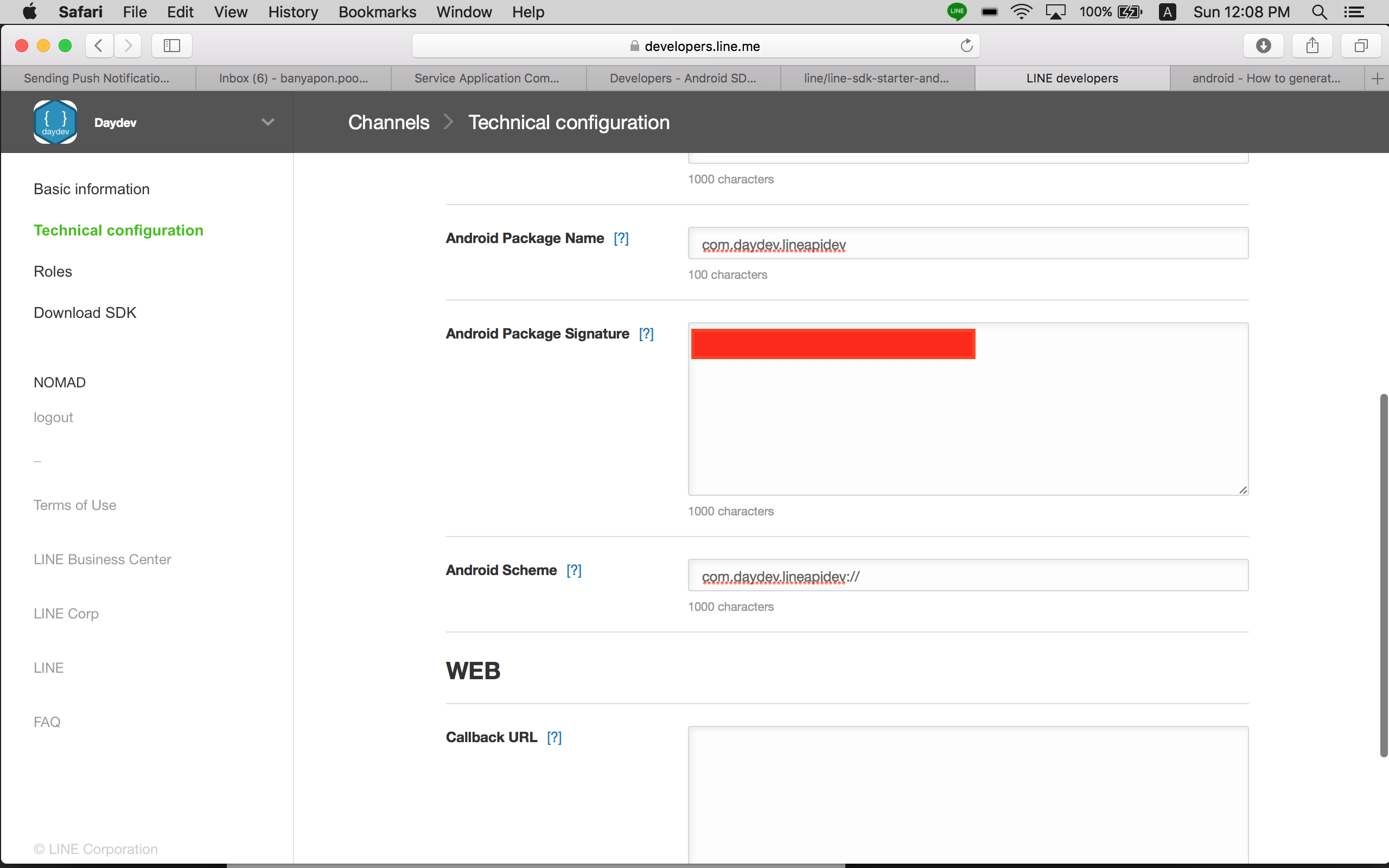
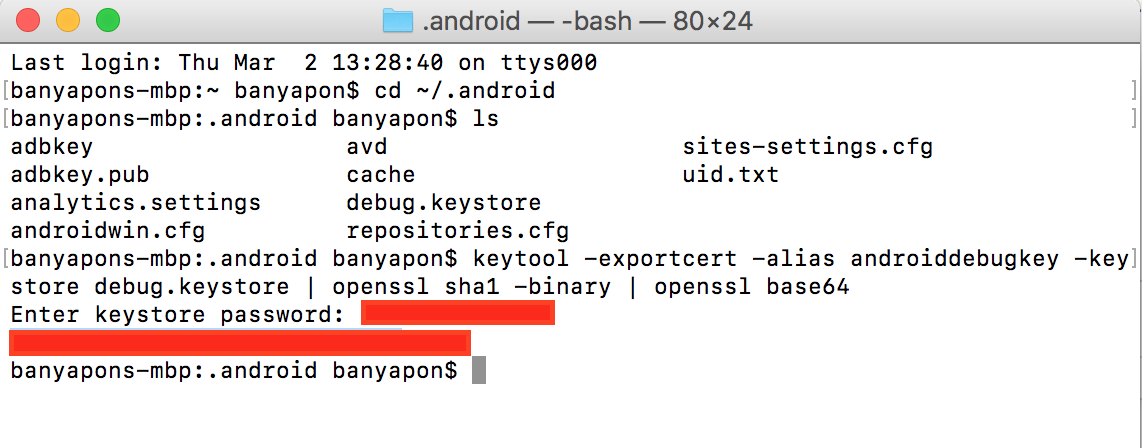
Hash Key ให้ใส่ใน Android Package Signature วิธีการก็หาเอาใน Google ครับส่วนของ OS X ก็ข้างล่าง
เพิ่ม Activity ใหม่ขึ้นมาครับชื่อว่า PostLoginActivity
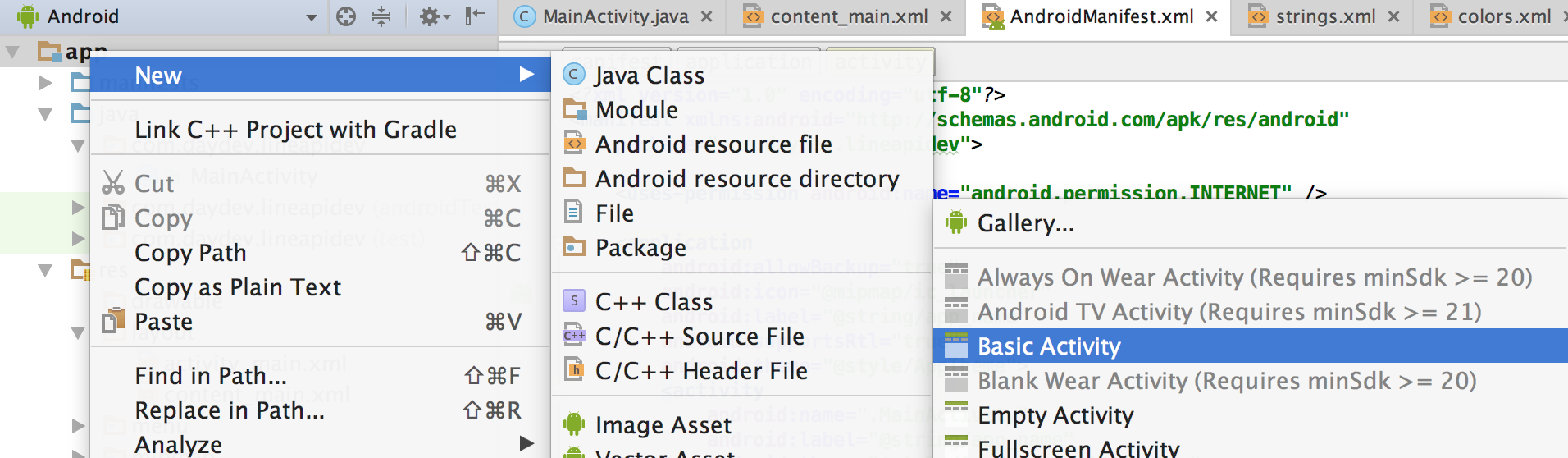
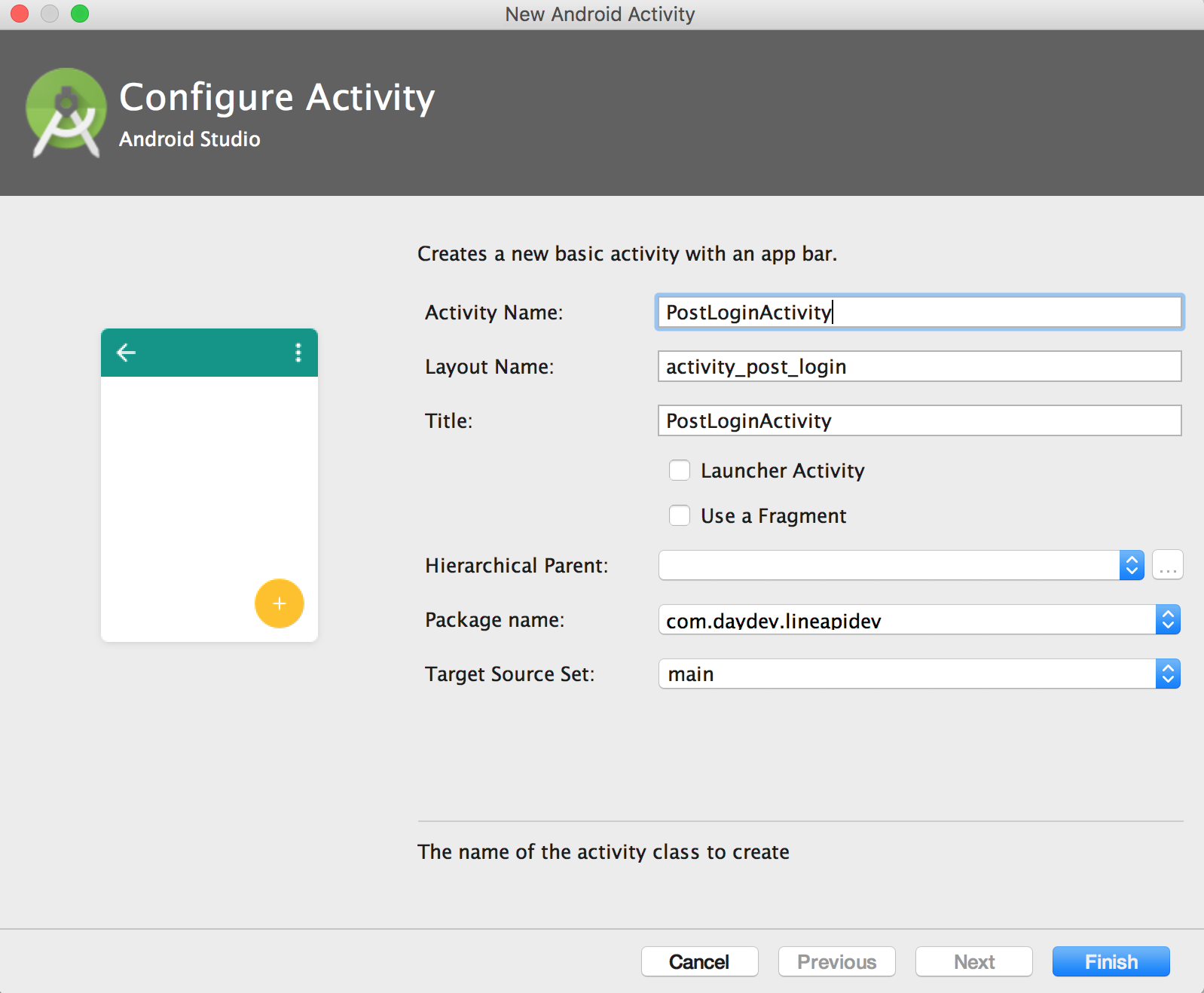
ออกแบบหน้าจอ content_post_login.xml ดังนี้
<?xml version="1.0" encoding="utf-8"?>
<RelativeLayout xmlns:android="http://schemas.android.com/apk/res/android"
    xmlns:app="http://schemas.android.com/apk/res-auto"
    xmlns:tools="http://schemas.android.com/tools"
    android:id="@+id/content_post_login"
    android:layout_width="match_parent"
    android:layout_height="match_parent"
    android:paddingBottom="@dimen/activity_vertical_margin"
    android:paddingLeft="@dimen/activity_horizontal_margin"
    android:paddingRight="@dimen/activity_horizontal_margin"
    android:paddingTop="@dimen/activity_vertical_margin"
    app:layout_behavior="@string/appbar_scrolling_view_behavior"
    tools:context="com.daydev.lineapidev.PostLoginActivity"
    tools:showIn="@layout/activity_post_login">
    <ScrollView
        android:layout_width="match_parent"
        android:layout_height="wrap_content">

        <RelativeLayout
            android:layout_width="match_parent"
            android:layout_height="wrap_content">

            <LinearLayout
                android:id="@+id/nameLayout"
                android:layout_width="wrap_content"
                android:layout_height="wrap_content"
                android:orientation="vertical">

                <TextView
                    android:id="@+id/displayNameField"
                    android:layout_width="match_parent"
                    android:layout_height="wrap_content"
                    android:layout_centerHorizontal="true"
                    android:text="TextView"
                    android:textAlignment="center"
                    android:textSize="24sp"
                    android:textStyle="normal|bold"
                    tools:text="Name" />

            </LinearLayout>

            <LinearLayout
                android:id="@+id/imageLayout"
                android:layout_width="wrap_content"
                android:layout_height="wrap_content"
                android:layout_below="@+id/nameLayout"
                android:orientation="vertical">

                <ImageView
                    android:id="@+id/profileImageView"
                    android:layout_width="match_parent"
                    android:layout_height="wrap_content"
                    android:layout_centerHorizontal="true"
                    app:srcCompat="@android:color/background_light" />
            </LinearLayout>

            <LinearLayout
                android:id="@+id/userDataLayout"
                android:layout_width="wrap_content"
                android:layout_height="wrap_content"
                android:layout_below="@+id/imageLayout"
                android:orientation="vertical">

                <LinearLayout
                    android:id="@+id/userDataLayout"
                    android:layout_width="wrap_content"
                    android:layout_height="wrap_content"
                    android:layout_below="@+id/imageLayout"
                    android:orientation="vertical">


                    <TextView
                        android:id="@+id/textView9"
                        android:layout_width="wrap_content"
                        android:layout_height="wrap_content"
                        android:text="User ID:"
                        android:textSize="18sp"
                        android:textStyle="normal|bold" />

                    <TextView
                        android:id="@+id/userIDField"
                        android:layout_width="wrap_content"
                        android:layout_height="wrap_content"
                        android:text="TextView" />

                    <TextView
                        android:id="@+id/textView11"
                        android:layout_width="wrap_content"
                        android:layout_height="wrap_content"
                        android:text="Status Message:"
                        android:textAlignment="textStart"
                        android:textSize="18sp"
                        android:textStyle="normal|bold" />

                    <TextView
                        android:id="@+id/statusMessageField"
                        android:layout_width="wrap_content"
                        android:layout_height="wrap_content"
                        android:text="TextView" />

                    <TextView
                        android:id="@+id/textView13"
                        android:layout_width="match_parent"
                        android:layout_height="wrap_content"
                        android:text="Access Token:"
                        android:textSize="18sp"
                        android:textStyle="normal|bold" />

                    <TextView
                        android:id="@+id/accessTokenField"
                        android:layout_width="match_parent"
                        android:layout_height="wrap_content"
                        android:text="TextView" />

                </LinearLayout>

            </LinearLayout>

            <LinearLayout
                android:id="@+id/buttonlayout"
                android:layout_width="wrap_content"
                android:layout_height="wrap_content"
                android:layout_below="@+id/userDataLayout"
                android:orientation="vertical">

                <Button
                    android:id="@+id/profileButton"
                    android:layout_width="wrap_content"
                    android:layout_height="wrap_content"
                    android:layout_weight="1"
                    android:text="Get Profile" />

                <Button
                    android:id="@+id/refreshButton"
                    android:layout_width="wrap_content"
                    android:layout_height="wrap_content"
                    android:layout_weight="1"
                    android:text="Refresh Token" />

                <Button
                    android:id="@+id/verifyButton"
                    android:layout_width="wrap_content"
                    android:layout_height="wrap_content"
                    android:layout_weight="1"
                    android:text="Verify Token" />

                <Button
                    android:id="@+id/logoutButton"
                    android:layout_width="wrap_content"
                    android:layout_height="wrap_content"
                    android:layout_weight="1"
                    android:text="Logout" />
            </LinearLayout>

        </RelativeLayout>

    </ScrollView>
</RelativeLayout>
สร้าง Resource ใหม่ขึ้นมาชื่อว่า profile_dialog.xml
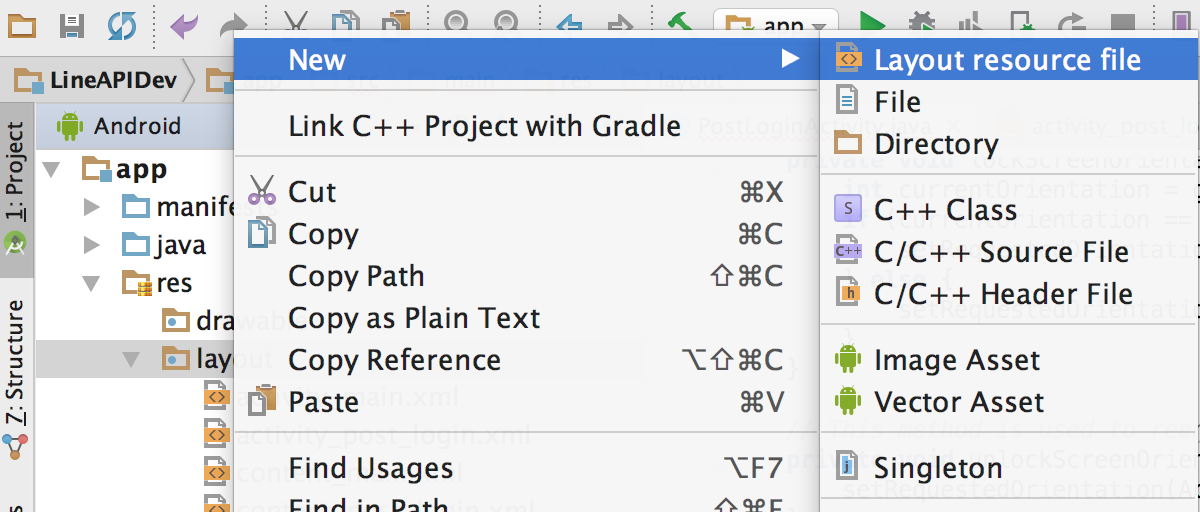
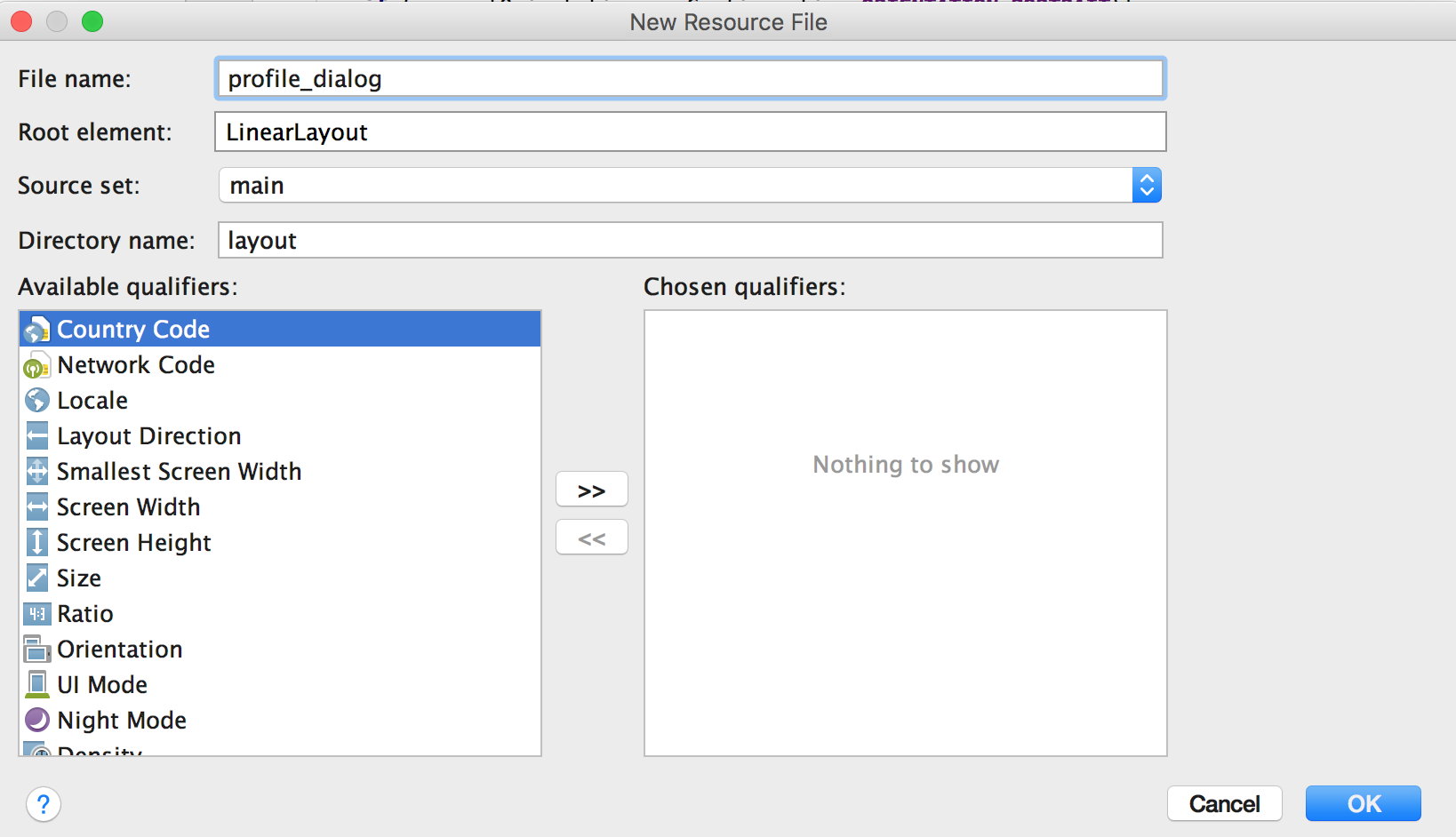
โดยมีโครงสร้าง xml ดังนี้
<?xml version="1.0" encoding="utf-8"?>

<LinearLayout xmlns:android="http://schemas.android.com/apk/res/android"
    android:layout_width="match_parent"
    android:layout_height="match_parent"
    android:orientation="vertical">

    <LinearLayout
        android:id="@+id/loadingPanel"
        android:layout_width="match_parent"
        android:layout_height="match_parent"
        android:layout_gravity="center">

        <ProgressBar
            android:layout_width="wrap_content"
            android:layout_height="wrap_content"
            android:indeterminate="true" />
    </LinearLayout>


    <LinearLayout
        android:id="@+id/profileContent"
        android:layout_width="match_parent"
        android:layout_height="match_parent"
        android:orientation="vertical"
        android:visibility="invisible">


        <TextView
            android:id="@+id/textView"
            android:layout_width="match_parent"
            android:layout_height="wrap_content"
            android:background="@android:color/holo_green_light"
            android:text="@string/profile_screen_label"
            android:textAlignment="center"
            android:textColor="@android:color/white"
            android:textSize="18sp"
            android:textStyle="normal|bold" />

        <LinearLayout
            android:layout_width="wrap_content"
            android:layout_height="wrap_content"
            android:orientation="vertical">

            <TextView
                android:id="@+id/textView5"
                android:layout_width="wrap_content"
                android:layout_height="wrap_content"
                android:layout_weight="1"
                android:text="@string/profile_display_name_label"
                android:textSize="14sp"
                android:textStyle="normal|bold" />

            <TextView
                android:id="@+id/profileName"
                android:layout_width="wrap_content"
                android:layout_height="wrap_content"
                android:layout_weight="1"
                android:text="" />
        </LinearLayout>

        <LinearLayout
            android:layout_width="wrap_content"
            android:layout_height="wrap_content"
            android:orientation="vertical">

            <TextView
                android:id="@+id/textView6"
                android:layout_width="wrap_content"
                android:layout_height="wrap_content"
                android:layout_weight="1"
                android:text="@string/profile_mid_label"
                android:textSize="14sp"
                android:textStyle="normal|bold" />

            <TextView
                android:id="@+id/profileMid"
                android:layout_width="wrap_content"
                android:layout_height="wrap_content"
                android:layout_weight="1"
                android:text="" />
        </LinearLayout>

        <LinearLayout
            android:layout_width="wrap_content"
            android:layout_height="wrap_content"
            android:orientation="vertical">

            <TextView
                android:id="@+id/textView7"
                android:layout_width="wrap_content"
                android:layout_height="wrap_content"
                android:layout_weight="1"
                android:text="@string/profile_status_message_label"
                android:textSize="14sp"
                android:textStyle="normal|bold" />

            <TextView
                android:id="@+id/profileMessage"
                android:layout_width="wrap_content"
                android:layout_height="wrap_content"
                android:layout_weight="1"
                android:text="" />
        </LinearLayout>

        <LinearLayout
            android:layout_width="wrap_content"
            android:layout_height="wrap_content"
            android:orientation="vertical">

            <TextView
                android:id="@+id/textView8"
                android:layout_width="wrap_content"
                android:layout_height="wrap_content"
                android:layout_weight="1"
                android:text="@string/profile_image_label"
                android:textSize="14sp"
                android:textStyle="normal|bold" />

            <TextView
                android:id="@+id/profileImageUrl"
                android:layout_width="wrap_content"
                android:layout_height="wrap_content"
                android:layout_weight="1"
                android:text="" />
        </LinearLayout>

    </LinearLayout>


</LinearLayout>
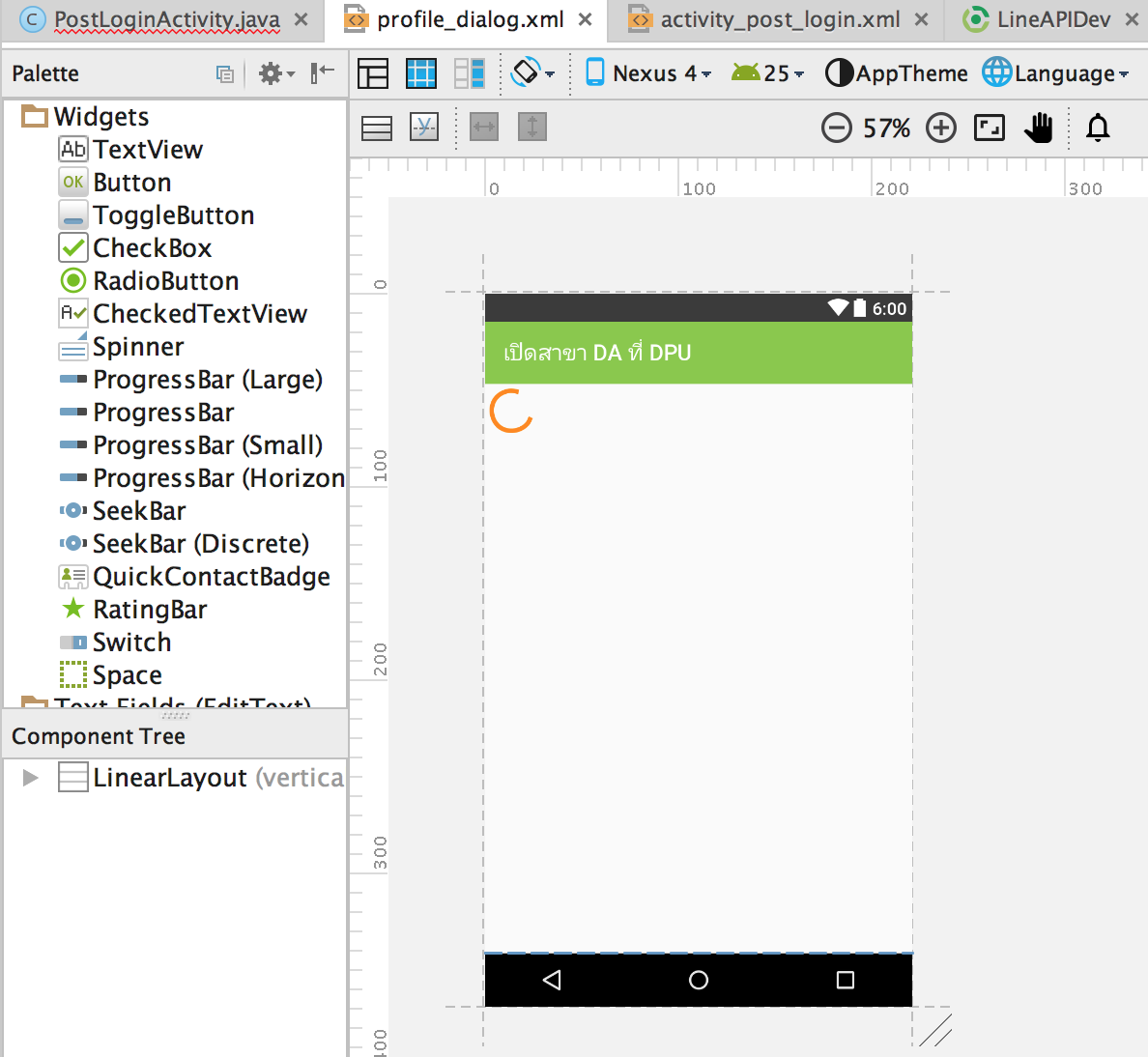
กำหนดค่า Strings.xml กันหน่อย ตามตัวอย่างเลย
<resources>
    <string name="app_name">เปิดสาขา DA ที่ DPU</string>
    <string name="action_settings">Settings</string>
    <string name="title_activity_post_login">PostLoginActivity</string>
    <string name="profile_screen_label">User Profile</string>
    <string name="profile_display_name_label">Display Name:</string>
    <string name="profile_mid_label">MID:</string>
    <string name="profile_status_message_label">Status Message:</string>
    <string name="profile_image_label">Profile Image URL:</string>
    <string name="no_profile_image_set">Profile Image Not Set</string>
</resources>
ต่อมาให้สร้าง Action ของ MainActivity.java ส่วนของปุ่มในการ Login ทั้งสองดังนี้
final Button a2aButton = (Button) findViewById(R.id.login_button);
        a2aButton.setOnClickListener(new View.OnClickListener() {

            public void onClick(View v) {

                try {
                    // App to App Login
                    Intent LoginIntent = LineLoginApi.getLoginIntent(v.getContext(), Constants.CHANNEL_ID);
                    startActivityForResult(LoginIntent, REQUEST_CODE);

                } catch (Exception e) {
                    Log.e("ERROR", e.toString());
                }
            }
        });

        final Button browserLoginButton = (Button) findViewById(R.id.browser_login_button);
        browserLoginButton.setOnClickListener(new View.OnClickListener() {

            public void onClick(View v) {

                try {
                    // Browser Login
                    Intent LoginIntent = LineLoginApi.getLoginIntentWithoutLineAppAuth(v.getContext(), Constants.CHANNEL_ID);
                    startActivityForResult(LoginIntent, REQUEST_CODE);

                } catch (Exception e) {
                    Log.e("ERROR", e.toString());
                }
            }

        });
โดยมีเมธอดใหม่เพิ่มเข้าไปคือ
public void onActivityResult(int requestCode, int resultCode, Intent data) {
        super.onActivityResult(requestCode, resultCode, data);
        if (requestCode != REQUEST_CODE) {
            Log.e("ERROR", "Unsupported Request");
            return;
        }

        LineLoginResult result = LineLoginApi.getLoginResultFromIntent(data);

        switch (result.getResponseCode()) {

            case SUCCESS:

                Intent transitionIntent = new Intent(this, PostLoginActivity.class);
                transitionIntent.putExtra("line_profile", result.getLineProfile());
                transitionIntent.putExtra("line_credential", result.getLineCredential());
                startActivity(transitionIntent);
                break;

            case CANCEL:
                Log.e("ERROR", "LINE Login Canceled by user!!");
                break;

            default:
                Log.e("ERROR", "Login FAILED!");
                Log.e("ERROR", result.getErrorData().toString());
        }
    }
ภาพรวมไฟล์ MainActivity.java เป็นดังนี้
package com.daydev.lineapidev;

import android.content.Intent;
import android.os.Bundle;
import android.support.design.widget.FloatingActionButton;
import android.support.design.widget.Snackbar;
import android.support.v7.app.AppCompatActivity;
import android.support.v7.widget.Toolbar;
import android.util.Log;
import android.view.View;
import android.view.Menu;
import android.view.MenuItem;
import android.widget.Button;

import com.linecorp.linesdk.auth.LineLoginApi;
import com.linecorp.linesdk.auth.LineLoginResult;

public class MainActivity extends AppCompatActivity {
    private static final int REQUEST_CODE = 1;
    @Override
    protected void onCreate(Bundle savedInstanceState) {
        super.onCreate(savedInstanceState);
        setContentView(R.layout.activity_main);
        Toolbar toolbar = (Toolbar) findViewById(R.id.toolbar);
        setSupportActionBar(toolbar);

        FloatingActionButton fab = (FloatingActionButton) findViewById(R.id.fab);
        fab.setOnClickListener(new View.OnClickListener() {
            @Override
            public void onClick(View view) {
                Snackbar.make(view, "Replace with your own action", Snackbar.LENGTH_LONG)
                        .setAction("Action", null).show();
            }
        });

        final Button a2aButton = (Button) findViewById(R.id.login_button);
        a2aButton.setOnClickListener(new View.OnClickListener() {

            public void onClick(View v) {

                try {
                    // App to App Login
                    Intent LoginIntent = LineLoginApi.getLoginIntent(v.getContext(), Constants.CHANNEL_ID);
                    startActivityForResult(LoginIntent, REQUEST_CODE);

                } catch (Exception e) {
                    Log.e("ERROR", e.toString());
                }
            }
        });

        final Button browserLoginButton = (Button) findViewById(R.id.browser_login_button);
        browserLoginButton.setOnClickListener(new View.OnClickListener() {

            public void onClick(View v) {

                try {
                    // Browser Login
                    Intent LoginIntent = LineLoginApi.getLoginIntentWithoutLineAppAuth(v.getContext(), Constants.CHANNEL_ID);
                    startActivityForResult(LoginIntent, REQUEST_CODE);

                } catch (Exception e) {
                    Log.e("ERROR", e.toString());
                }
            }

        });
    }

    public void onActivityResult(int requestCode, int resultCode, Intent data) {
        super.onActivityResult(requestCode, resultCode, data);
        if (requestCode != REQUEST_CODE) {
            Log.e("ERROR", "Unsupported Request");
            return;
        }

        LineLoginResult result = LineLoginApi.getLoginResultFromIntent(data);

        switch (result.getResponseCode()) {

            case SUCCESS:

                Intent transitionIntent = new Intent(this, PostLoginActivity.class);
                transitionIntent.putExtra("line_profile", result.getLineProfile());
                transitionIntent.putExtra("line_credential", result.getLineCredential());
                startActivity(transitionIntent);
                break;

            case CANCEL:
                Log.e("ERROR", "LINE Login Canceled by user!!");
                break;

            default:
                Log.e("ERROR", "Login FAILED!");
                Log.e("ERROR", result.getErrorData().toString());
        }
    }

    @Override
    public boolean onCreateOptionsMenu(Menu menu) {
        // Inflate the menu; this adds items to the action bar if it is present.
        getMenuInflater().inflate(R.menu.menu_main, menu);
        return true;
    }

    @Override
    public boolean onOptionsItemSelected(MenuItem item) {
        // Handle action bar item clicks here. The action bar will
        // automatically handle clicks on the Home/Up button, so long
        // as you specify a parent activity in AndroidManifest.xml.
        int id = item.getItemId();

        //noinspection SimplifiableIfStatement
        if (id == R.id.action_settings) {
            return true;
        }

        return super.onOptionsItemSelected(item);
    }
}
ส่วนของ PostLoginActivity.java คือคำสั่งต่อไปนี้
package com.daydev.lineapidev;

import android.app.AlertDialog;
import android.app.Dialog;
import android.app.DialogFragment;
import android.content.Intent;
import android.content.pm.ActivityInfo;
import android.content.res.Configuration;
import android.graphics.Bitmap;
import android.graphics.BitmapFactory;
import android.net.Uri;
import android.os.AsyncTask;
import android.os.Bundle;
import android.support.design.widget.FloatingActionButton;
import android.support.design.widget.Snackbar;
import android.support.v7.app.AppCompatActivity;
import android.support.v7.widget.Toolbar;
import android.util.Log;
import android.view.LayoutInflater;
import android.view.View;
import android.widget.Button;
import android.widget.ImageView;
import android.widget.TextView;
import android.widget.Toast;

import com.linecorp.linesdk.LineAccessToken;
import com.linecorp.linesdk.LineApiResponse;
import com.linecorp.linesdk.LineCredential;
import com.linecorp.linesdk.LineProfile;
import com.linecorp.linesdk.api.LineApiClient;
import com.linecorp.linesdk.api.LineApiClientBuilder;

import java.io.IOException;
import java.io.InputStream;
import java.net.URL;

public class PostLoginActivity extends AppCompatActivity {

    private LineApiClient lineApiClient;

    // Method for preventing orientation changes during ASyncTasks
    private void lockScreenOrientation(){
        int currentOrientation = getResources().getConfiguration().orientation;
        if (currentOrientation == Configuration.ORIENTATION_PORTRAIT){
            setRequestedOrientation(ActivityInfo.SCREEN_ORIENTATION_PORTRAIT);
        } else {
            setRequestedOrientation(ActivityInfo.SCREEN_ORIENTATION_LANDSCAPE);
        }
    }

    // This method is used to reenable orientation changes after an ASyncTask is finished.
    private void unlockScreenOrientation(){
        setRequestedOrientation(ActivityInfo.SCREEN_ORIENTATION_SENSOR);
    }

    public static class ProfileDialogFragment extends DialogFragment {

        private LineProfile profileInfo;

        @Override
        public Dialog onCreateDialog(Bundle savedInstanceState) {

            AlertDialog.Builder builder = new AlertDialog.Builder(getActivity());
            LayoutInflater inflater = getActivity().getLayoutInflater();
            View view = inflater.inflate(R.layout.profile_dialog, null);


            TextView textview = (TextView) view.findViewById(R.id.profileName);
            textview.setText(profileInfo.getDisplayName());
            textview = (TextView) view.findViewById(R.id.profileMessage);
            textview.setText(profileInfo.getStatusMessage());
            textview = (TextView) view.findViewById(R.id.profileMid);
            textview.setText(profileInfo.getUserId());
            Uri pictureUrl = profileInfo.getPictureUrl();
            textview = (TextView) view.findViewById(R.id.profileImageUrl);

            // If the user's profile picture is not set, the picture url will be null.
            if (pictureUrl != null) {
                textview.setText(profileInfo.getPictureUrl().toString());
            } else {
                textview.setText(view.getContext().getResources().getString(R.string.no_profile_image_set));
            }

            view.findViewById(R.id.loadingPanel).setVisibility(View.GONE);
            view.findViewById(R.id.profileContent).setVisibility(View.VISIBLE);

            builder.setView(view);
            builder.setPositiveButton("OK", null);
            return builder.create();
        }

        public LineProfile getProfileInfo() {
            return profileInfo;
        }

        public void setProfileInfo(LineProfile profileInfo) {
            this.profileInfo = profileInfo;
        }
    }


    public class ImageLoaderTask extends AsyncTask<String, String, Bitmap> {

        final static String TAG = "ImageLoaderTask";

        protected void onPreExecute(){
            lockScreenOrientation();
        }

        protected Bitmap doInBackground(String... strings) {
            Bitmap bitmap = null;
            try {
                URL url = new URL(strings[0]);
                bitmap = BitmapFactory.decodeStream((InputStream) url.getContent());
            } catch (IOException e) {
                Log.e(TAG, e.getMessage());
            }
            return bitmap;
        }

        protected void onPostExecute(Bitmap bitmap) {
            ImageView profileImageView = (ImageView) findViewById(R.id.profileImageView);
            profileImageView.setImageBitmap(bitmap);
            unlockScreenOrientation();
        }
    }


    public class RefreshTokenTask extends AsyncTask<Void, Void, LineApiResponse<LineAccessToken>> {

        final static String TAG = "RefreshTokenTask";

        protected void onPreExecute(){
            lockScreenOrientation();
        }

        protected LineApiResponse<LineAccessToken> doInBackground(Void... params) {

            return lineApiClient.refreshAccessToken();
        }

        protected void onPostExecute(LineApiResponse<LineAccessToken> response) {

            if (response.isSuccess()) {
                String updatedAccessToken = lineApiClient.getCurrentAccessToken().getResponseData().getAccessToken();

                // Update the view
                TextView accessTokenField = (TextView) findViewById(R.id.accessTokenField);
                accessTokenField.setText(updatedAccessToken);
                Toast.makeText(getApplicationContext(), "Access Token has been refreshed.", Toast.LENGTH_SHORT).show();
            } else {
                Toast.makeText(getApplicationContext(), "Could not refresh the access token.", Toast.LENGTH_SHORT).show();
                Log.e(TAG, response.getErrorData().toString());
            }

            unlockScreenOrientation();
        }
    }

    public class VerifyTokenTask extends AsyncTask<Void, Void, LineApiResponse<LineCredential>> {

        final static String TAG = "VerifyTokenTask";

        protected void onPreExecute(){
            lockScreenOrientation();
        }

        protected LineApiResponse<LineCredential> doInBackground(Void... params) {

            return lineApiClient.verifyToken();
        }

        protected void onPostExecute(LineApiResponse<LineCredential> response) {

            if (response.isSuccess()) {
                StringBuilder toastStringBuilder = new StringBuilder("Access Token is VALID and contains the permissions ");

                for (String temp : response.getResponseData().getPermission()) {
                    toastStringBuilder.append(temp + ", ");
                }
                Toast.makeText(getApplicationContext(), toastStringBuilder.toString(), Toast.LENGTH_SHORT).show();

            } else {
                Toast.makeText(getApplicationContext(), "Access Token is NOT VALID", Toast.LENGTH_SHORT).show();
            }
            unlockScreenOrientation();
        }
    }

    public class GetProfileTask extends AsyncTask<Void, Void, LineApiResponse<LineProfile>> {

        private ProfileDialogFragment fragment;

        final static String TAG = "GetProfileTask";

        protected void onPreExecute(){
            lockScreenOrientation();
        }

        protected LineApiResponse<LineProfile> doInBackground(Void... params) {
            return lineApiClient.getProfile();
        }

        protected void onPostExecute(LineApiResponse<LineProfile> apiResponse) {

            if(apiResponse.isSuccess()) {
                ProfileDialogFragment newFragment = new ProfileDialogFragment();
                newFragment.setProfileInfo(apiResponse.getResponseData());
                newFragment.show(getFragmentManager(), null);
                unlockScreenOrientation();
            } else {
                Toast.makeText(getApplicationContext(), "Failed to get profile.", Toast.LENGTH_SHORT).show();
                Log.e(TAG, "Failed to get Profile: " + apiResponse.getErrorData().toString());
            }
        }
    }

    public class LogoutTask extends AsyncTask<Void, Void, LineApiResponse> {

        final static String TAG = "LogoutTask";

        protected void onPreExecute(){
            lockScreenOrientation();
        }

        protected LineApiResponse doInBackground(Void... params) {
            return lineApiClient.logout();
        }

        protected void onPostExecute(LineApiResponse apiResponse){

            if(apiResponse.isSuccess()){
                Toast.makeText(getApplicationContext(), "Logout Successful", Toast.LENGTH_SHORT).show();
            } else {
                Toast.makeText(getApplicationContext(), "Logout Failed", Toast.LENGTH_SHORT).show();
                Log.e(TAG, "Logout Failed: " + apiResponse.getErrorData().toString());
            }
            unlockScreenOrientation();
        }
    }

    protected void onCreate(Bundle savedInstanceState) {
        super.onCreate(savedInstanceState);
        setContentView(R.layout.activity_post_login);

        LineApiClientBuilder apiClientBuilder = new LineApiClientBuilder(getApplicationContext(), Constants.CHANNEL_ID);
        lineApiClient = apiClientBuilder.build();

        // Profile Button Click Listener
        final Button profileButton = (Button) findViewById(R.id.profileButton);

        profileButton.setOnClickListener(new View.OnClickListener() {

            public void onClick(View v) {
                new GetProfileTask().execute();
            }
        });


        // Refresh Button Click Listener
        final Button refreshButton = (Button) findViewById(R.id.refreshButton);
        refreshButton.setOnClickListener(new View.OnClickListener() {

            public void onClick(View v) {

                new RefreshTokenTask().execute();
            }

        });

        // Verify Button Click Listener
        final Button verifyButton = (Button) findViewById(R.id.verifyButton);
        verifyButton.setOnClickListener(new View.OnClickListener() {

            public void onClick(View v) {

                new VerifyTokenTask().execute();
            }

        });

        // Logout Button Click Listener
        final Button logoutButton = (Button) findViewById(R.id.logoutButton);
        logoutButton.setOnClickListener(new View.OnClickListener() {

            public void onClick(View v) {

                new LogoutTask().execute();
                finish();
            }

        });

        // Get the intent so that we can get information from the previous activity
        Intent intent = getIntent();
        LineProfile intentProfile = intent.getParcelableExtra("line_profile");
        LineCredential intentCredential = intent.getParcelableExtra("line_credential");

        ImageView profileImageView = (ImageView) findViewById(R.id.profileImageView);
        Uri pictureUrl = intentProfile.getPictureUrl();

        if (pictureUrl != null) {
            Log.i("PostLoginActivity", "Picture URL: " + pictureUrl.toString());
            new ImageLoaderTask().execute(pictureUrl.toString());
        }

        TextView profileText;

        profileText = (TextView) findViewById(R.id.displayNameField);
        profileText.setText(intentProfile.getDisplayName());

        profileText = (TextView) findViewById(R.id.userIDField);
        profileText.setText(intentProfile.getUserId());

        profileText = (TextView) findViewById(R.id.statusMessageField);
        profileText.setText(intentProfile.getUserId());

        profileText = (TextView) findViewById(R.id.accessTokenField);
        profileText.setText(intentCredential.getAccessToken().getAccessToken());

    }

}
เพิ่ม Activity state ของ AndroidManiFest.xml ดังนี้
<?xml version="1.0" encoding="utf-8"?>
<manifest xmlns:android="http://schemas.android.com/apk/res/android"
    package="com.daydev.lineapidev">

    <uses-permission android:name="android.permission.INTERNET" />

    <application
        android:allowBackup="true"
        android:icon="@mipmap/ic_launcher"
        android:label="@string/app_name"
        android:supportsRtl="true"
        android:theme="@style/AppTheme">
        <activity
            android:name=".MainActivity"
            android:label="@string/app_name"
            android:theme="@style/AppTheme.NoActionBar">
            <intent-filter>
                <action android:name="android.intent.action.MAIN" />

                <category android:name="android.intent.category.LAUNCHER" />
            </intent-filter>
        </activity>
        <activity android:name=".PostLoginActivity" android:label="User Information"></activity>
    </application>

</manifest>
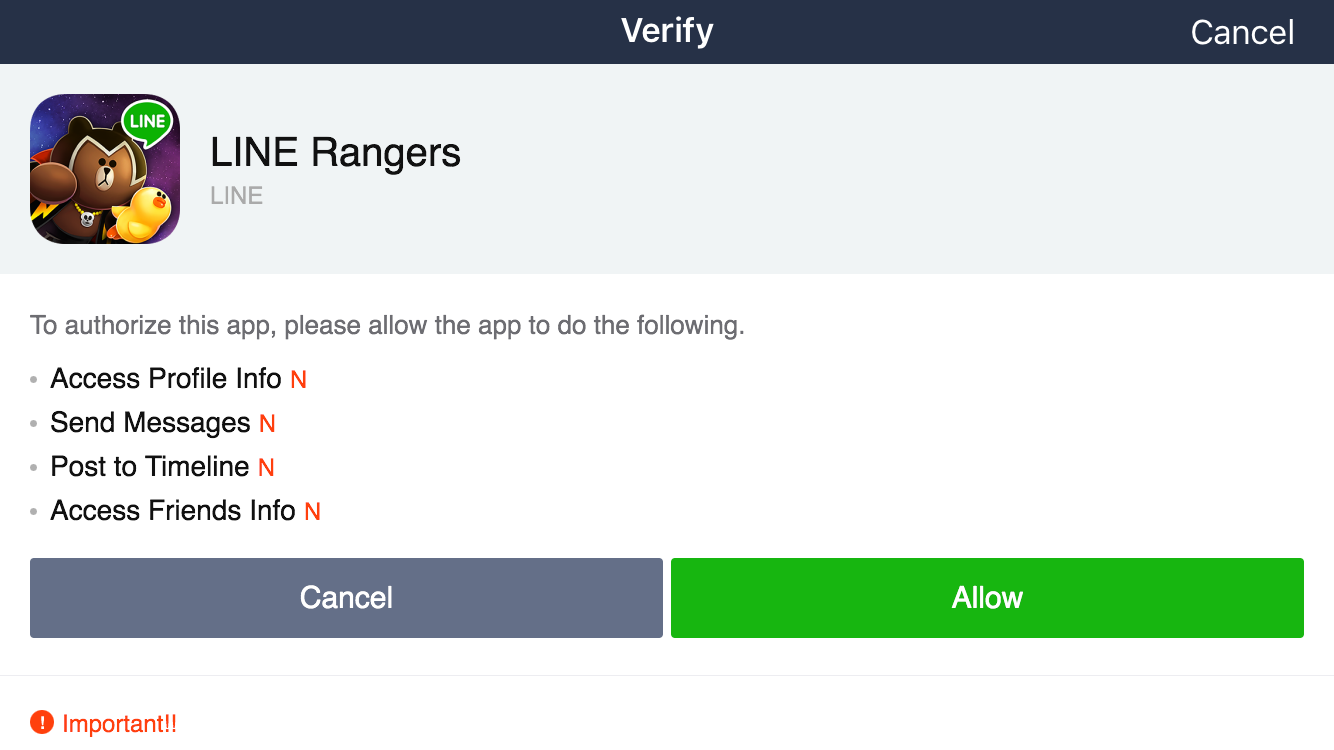
ทดสอบโดยการ Run ตัวแอพพลิเคชันของเราแล้วทำการ Login ด้วย Line ดูเราจะพบว่า เราจะขอสิทธิในการ Login และ Permission ของ User ใน Line จากแอพพลิเคชัน Line ของเราได้แล้ว
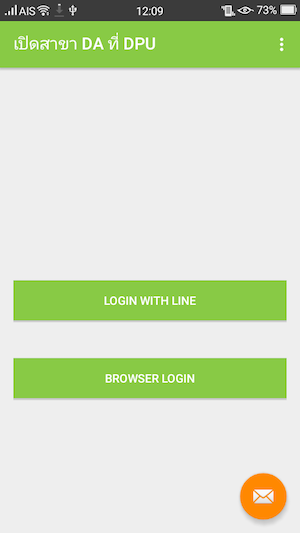
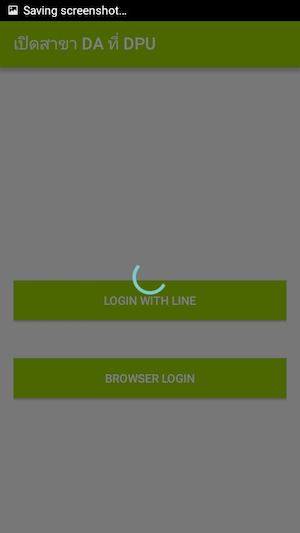
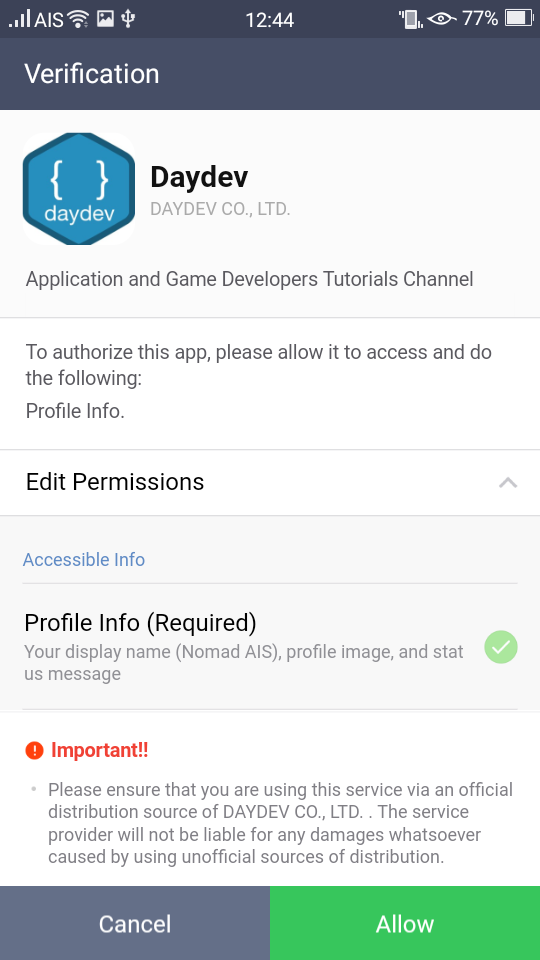
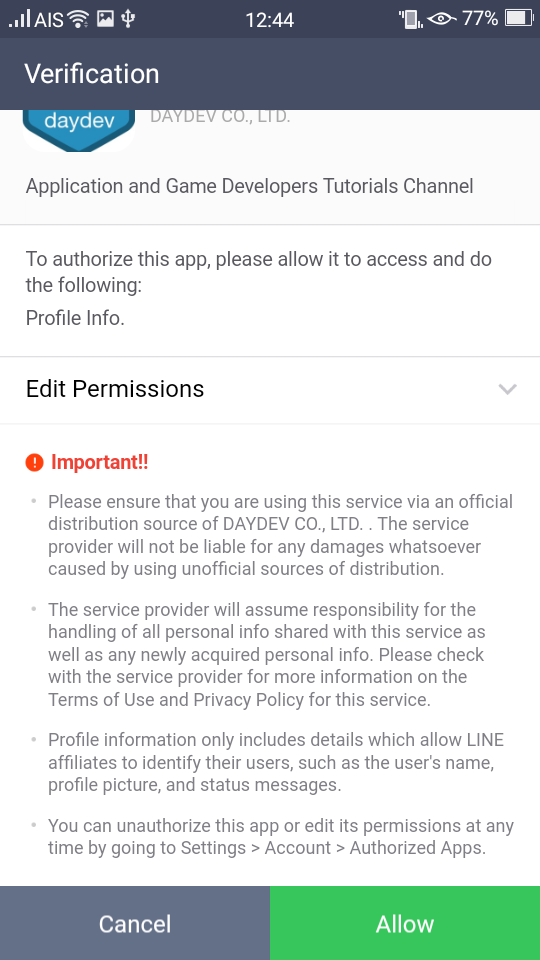
จะเห็นว่าการออกแบบ Line APIต่อไปก็คือการ Identity Thief มากขึ้นแบบที่ แอพขำขันทำกัน คำถามคือถ้าผมบอกว่า ขอให้เชื่อใจผม เค้าจะยอมไหมนะ เพราะกระบวนการนี้ได้มาซึ่ง token ซึ่งผมอาจจะแอบเก็บไว้ทำอะไรก็ได้ทีหลังอยู่ดี
ใครขี้เกียจเขียน Code เองมี git ของ Line ให้นะเค้าทำไว้ https://github.com/line/line-sdk-starter-android-v2