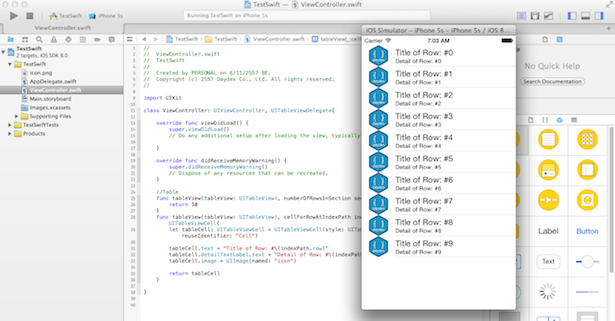
เขียนแอพพลิเคชัน iPhone กับวิธีการเพิ่มรูปภาพ Images ของ UITableViewCell บน UITableView และเรียกผ่านเว็บไซต์ ด้วยภาษา Swift บน Xcode6 BETA สำหรับผู้เริ่มต้น
ก่อนอื่นลองศึกษาบทความก่อนหน้านี่ก่อนครับไม่น่ายากอะไร
- รู้จักภาษาโปรแกรม Swift สำหรับแพลตฟอร์ม iOS ของ Apple
- Fundamental พื้นฐานของภาษา Swift ตอนที่ 1
- เขียนแอพ iPhone บน iOS8 ภาษา Swift ด้วย Xcode6 BETA
- เขียนแอพ iPhone บน iOS8 ภาษา Swift กับ UITableView
และตัวอย่างที่เราจะหยิบมาพัฒนาต่อก็คือ ตัวอย่างจากบทความนี้
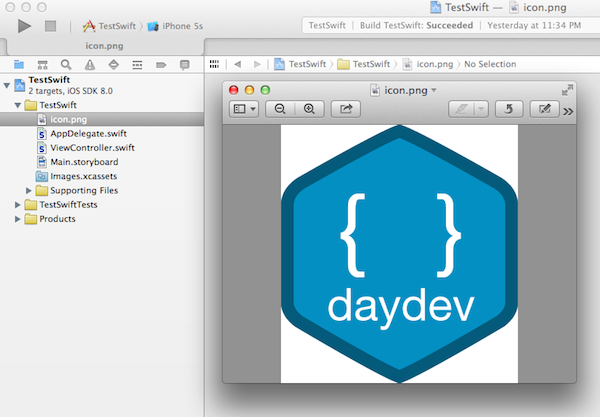
หารูปภาพที่เราต้องการจะนำมาทำเป็นภาพ Thumbnail ของ Cell ก่อน ในตัวอย่างผมเลือกภาพนี้ (ข้างล่าง) นำภาพนี้ไปวางใน Project ของเราครับ ตั้งชื่อว่า icon.png
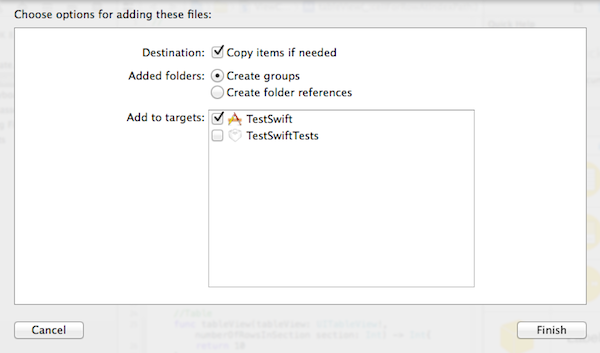
ลอง Preview ดูหน่อย
แก้ไขฟังก์ชัน นี้ให้ทำการดึงไฟล์รูปมาแสดงครับ
//Table
    func tableView(tableView: UITableView!, numberOfRowsInSection section: Int) -> Int{
        return 10
    }
    func tableView(tableView: UITableView!, cellForRowAtIndexPath indexPath: NSIndexPath!) -> UITableViewCell{
        let tableCell: UITableViewCell = UITableViewCell(style: UITableViewCellStyle.Subtitle, reuseIdentifier: "Cell")

        tableCell.text = "Title of Row: #\(indexPath.row)"
        tableCell.detailTextLabel.text = "Detail of Row: #\(indexPath.row)"
        tableCell.image = UIImage(named: "icon")

        return tableCell
    }
ทดสอบ Run ตัวแอพพลิเคชันของเราครับ
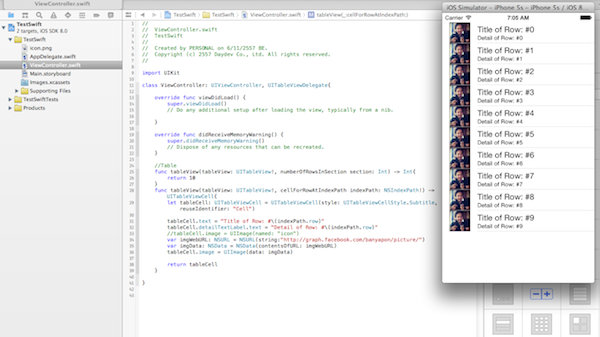
ต่อมาคือการแสดงผล รูปภาพ ไปแสดงใน Cell เหมือนกันแต่เป็นการโหลดผ่าน URL ผมเลือก ภาพของ Facebook มันง่ายดี รูปภาพที่ต้องการก็คือภาพ Profile ผมเอง http://graph.facebook.com/banyapon/picture ครับ
เราก็แค่ เขียน Code เพิ่มเข้าไปดังนี้ครับ ก็เป็นอันเสร็จเรียบร้อย
//Table
    func tableView(tableView: UITableView!, numberOfRowsInSection section: Int) -> Int{
        return 10
    }
    func tableView(tableView: UITableView!, cellForRowAtIndexPath indexPath: NSIndexPath!) -> UITableViewCell{
        let tableCell: UITableViewCell = UITableViewCell(style: UITableViewCellStyle.Subtitle, reuseIdentifier: "Cell")

        tableCell.text = "Title of Row: #\(indexPath.row)"
        tableCell.detailTextLabel.text = "Detail of Row: #\(indexPath.row)"

        var imgWebURL: NSURL = NSURL(string:"http://graph.facebook.com/banyapon/picture/")
        var imgData: NSData = NSData(contentsOfURL: imgWebURL)
        tableCell.image = UIImage(data: imgData)

        return tableCell
    }
ทดลอง Run ตัวแอพพลิเคชันของเราดูครับ ไม่มี Source Code เช่นเคยเพราะคิดว่าไม่น่าจะยากอะไรครับ
บทความที่เกี่ยวข้อง
- รู้จักภาษาโปรแกรม Swift สำหรับแพลตฟอร์ม iOS ของ Apple
- Fundamental พื้นฐานของภาษา Swift ตอนที่ 1
- เขียนแอพ iPhone บน iOS8 ภาษา Swift ด้วย Xcode6 BETA
- เขียนแอพ iPhone บน iOS8 ภาษา Swift กับ UITableView